AI Chatbot for Business in Nashik: Cost & Uses (2026)
What an AI chatbot can do for a Nashik business, website vs WhatsApp chatbots, what it costs (from ₹4,999) and the limits to know before you buy.
 Uday SatputeFounder & CEO, Clickhold6 min read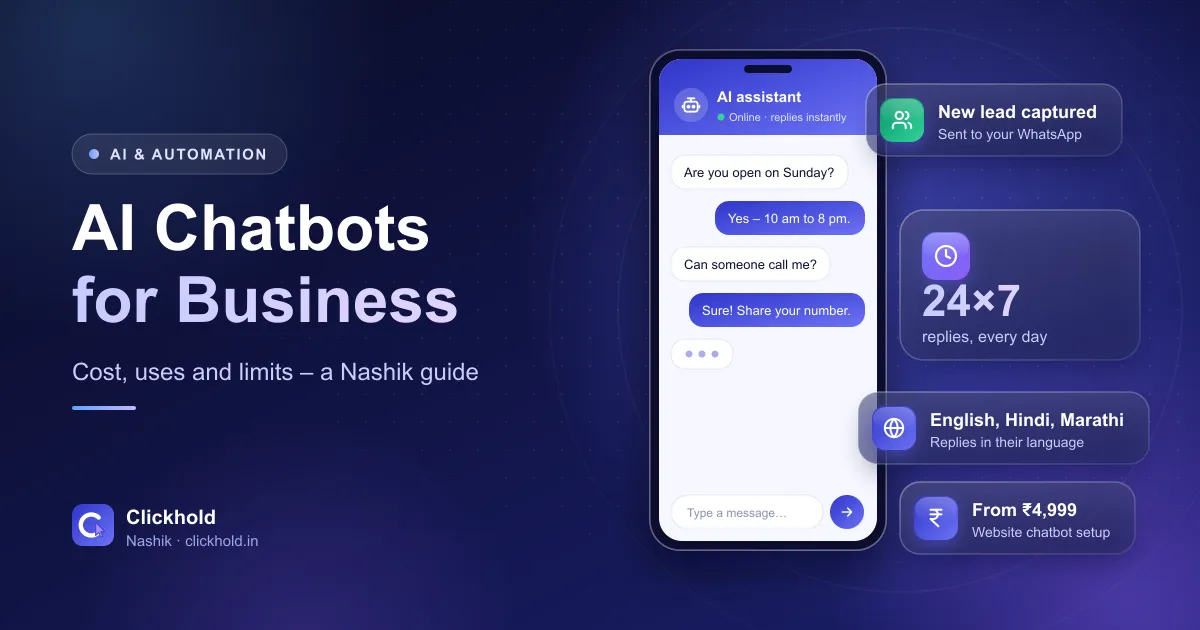
- 24×7 repliesevenings, Sundays and festival days
- 3 languagesEnglish, Hindi and Marathi
- Lead capturename, phone and need – sent to you
- From ₹4,999website chatbot, one-time setup
On this page
- 01What can an AI chatbot do for a Nashik business?
- 02Which Nashik businesses benefit most from a chatbot?
- 03Website chatbot or WhatsApp chatbot: which do you need?
- 04How much does an AI chatbot cost in Nashik?
- 05How do you stop a chatbot giving wrong answers?
- 06How do you set up a chatbot for your business?
- 07Want to see one working?
Quick answer
An AI chatbot answers your customers' common questions 24×7 on your website or WhatsApp, in English, Hindi or Marathi, collects their name and requirement, and hands ready buyers to your team. With Clickhold, a website chatbot for a Nashik business starts at ₹4,999 one-time, with AI usage at actual cost.
Key takeaways
- A chatbot is worth it when you get the same questions again and again – timings, prices, location, availability.
- It should answer only from information you approve, and hand over to a person when it doesn't know.
- Start with a website chatbot; add a WhatsApp chatbot when your WhatsApp enquiries are too many to handle.
- Budget for two costs: a one-time setup and small running costs for AI usage (plus Meta's fees on WhatsApp).
- Never let a chatbot ask for OTPs, card details or passwords.
An AI chatbot answers your customers’ common questions in seconds – on your website or on WhatsApp, at any time of day – then collects their name and requirement and passes ready buyers to you. For a busy Nashik business, it means fewer missed enquiries and fewer hours typing the same reply. With Clickhold, a website chatbot starts at ₹4,999 one-time.
I’m Uday, founder of Clickhold. We build chatbots for local businesses, and there’s one running on this website right now – tap the robot button at the bottom of the screen and ask it anything about our services. This guide explains what a chatbot can and can’t do, which Nashik businesses get the most from one, and what it really costs.
What can an AI chatbot do for a Nashik business?
Think of it as a trained assistant that never goes home. A well-built chatbot can:
- Answer repeat questions – timings, prices, location, parking, delivery areas like Gangapur Road, College Road, Indira Nagar or Nashik Road
- Explain your services in plain words, using only the information you approve
- Collect leads – the customer’s name, phone number and what they need – and send them to you
- Reply in English, Hindi or Marathi, usually in the language the customer writes in
- Hand over to a person with one tap to your WhatsApp or phone when the customer is ready, or when the question is outside what it knows
What it shouldn’t do: guess prices, promise results, take payments inside the chat, or ask for OTPs, card details or passwords.
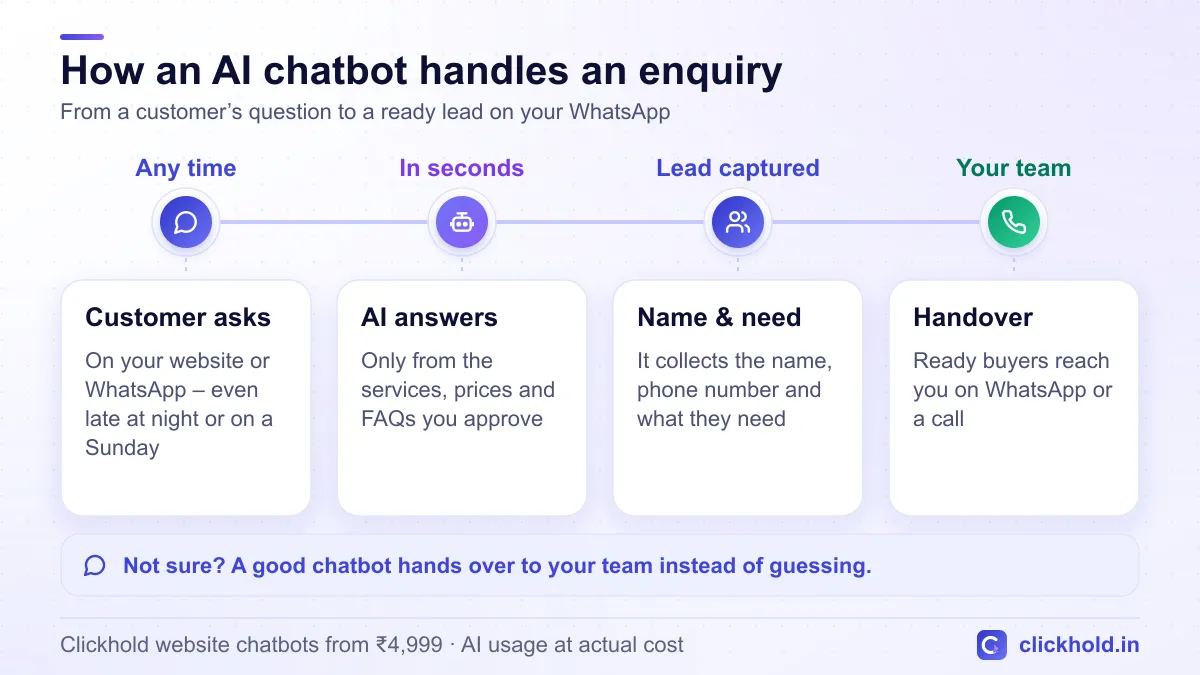
How one enquiry moves from a question to your WhatsApp.
Which Nashik businesses benefit most from a chatbot?
A chatbot pays off when the same questions come in again and again, or when customers message at times you can’t reply. That happens most in these kinds of businesses:
| Business | What customers usually ask | What the chatbot does |
|---|---|---|
| Clinics and dental practices | Timings, consultation fees, treatments | Answers, then collects appointment requests |
| Coaching classes | Batches, fees, demo lectures, location | Shares details and collects admission enquiries |
| Builders and real estate | Projects, flat sizes, price range, site visits | Answers and qualifies buyers before your call |
| Restaurants and cafés | Menu, timings, delivery area, table booking | Shares details and takes table requests |
| Resorts, hotels and wine tourism | Rooms, packages, availability, directions | Answers and passes booking enquiries to you |
| Suppliers in Satpur and Ambad MIDC | Product range, specifications, quotes | Collects the requirement so you can quote |
| Shops and showrooms | Stock, brands, delivery, offers | Answers day and night, then hands over |
If you get only a handful of enquiries a week, start smaller. The free WhatsApp Business app already has a greeting message, an away message and quick replies – set those up first, and come back to a chatbot when the questions start piling up.
Website chatbot or WhatsApp chatbot: which do you need?
They solve the same problem in different places:
| Website chatbot | WhatsApp chatbot | |
|---|---|---|
| Where it works | A chat window on your website | Inside WhatsApp, on your business number |
| Setup | Added to your new or existing website | Needs the official WhatsApp Business Platform (API) |
| Running costs | AI usage, usually small | AI usage plus Meta’s fees for some messages |
| Best for | Businesses that get visitors from Google, Maps and ads | Businesses with lots of WhatsApp enquiries, or click-to-WhatsApp ads |
| With Clickhold | From ₹4,999 one-time | Fixed quote after a free call |
I usually suggest starting with a website chatbot because it’s quicker and cheaper to set up, then adding WhatsApp once you see how many enquiries it handles. Meta publishes its current WhatsApp rates on its WhatsApp Business Platform pricing page – check it before you plan a WhatsApp chatbot, because the fees depend on the type of message.
How much does an AI chatbot cost in Nashik?
Budget for two separate costs:
- One-time setup. Collecting your information, building the chatbot, matching it to your brand, setting the rules and testing it. With Clickhold, a website chatbot starts at ₹4,999. Bigger setups – WhatsApp, appointment booking, a CRM, or many pages of content – get a fixed written quote after a free call.
- Running costs. The AI model charges a small amount for each conversation, depending on how many chats you get. On WhatsApp, Meta’s message fees come on top. We pass these on at actual cost, with no markup.
Be careful with very cheap “chatbots” that are really just a menu of buttons. They’re fine for simple choices, but they can’t understand a question typed in a customer’s own words – which is the whole point of an AI chatbot.
Already have a website?
You don't need a new one. A chatbot can be added to most existing websites. If you don't have a website yet, it makes sense to plan both together.
How do you stop a chatbot giving wrong answers?
This is the most important question to ask anyone who builds you a chatbot. AI models are good at sounding confident, so the setup matters more than the model. Insist on these rules:
- One approved knowledge base. Your services, prices, timings, location and FAQs, written down and checked by you. The chatbot answers only from this.
- No guessing. If the answer isn’t in the knowledge base, the chatbot says the team will confirm and offers your WhatsApp or phone.
- No promises. No guaranteed results, no invented discounts, no “best in Nashik” claims.
- Testing before launch. Ask it the real questions your customers ask – including in Marathi and Hindi, and the way people actually type.
- Regular updates. When a price or timing changes, the knowledge base changes the same day.
Keep sensitive details out of the chat
A chatbot should never ask for OTPs, card or bank details, passwords or ID numbers. Tell customers to share personal details on a call or WhatsApp with your team instead, and mention how chats are handled in your privacy policy.
How do you set up a chatbot for your business?
- List the top 20 questions your customers ask on calls and WhatsApp.
- Write the answers once – services, prices, timings, location, delivery or service areas.
- Decide the handover – which WhatsApp number or phone ready customers should reach.
- Build and test the chatbot on real questions, and fix every wrong or unclear answer.
- Launch and watch the first chats – add the questions it couldn't answer to the knowledge base.
That’s also how we work at Clickhold: a free call, collecting your information into one knowledge base, building and testing, then improving the answers from real chats – with free updates in the first month.
Want to see one working?
The quickest way to judge a chatbot is to use one. Tap the robot button on this page and ask our assistant about prices or services – in English, Hindi or Marathi. Then, if you’d like one for your business, see our AI chatbot development service or WhatsApp me. Need a website first? Our business websites start at ₹5,999, and our guide on website cost in Nashik explains what’s included.
Want us to look at your business?
Send a WhatsApp message – you'll get honest advice and a clear, written price.
Frequently asked questions
How much does an AI chatbot cost in Nashik?
With Clickhold, a website AI chatbot starts at ₹4,999 one-time, trained on your services, prices, timings and FAQs. A WhatsApp chatbot, appointment booking or CRM connection gets a fixed written quote after a free call. AI usage and any WhatsApp/Meta message fees are paid at actual cost.
Is an AI chatbot worth it for a small business?
It is worth it if customers often ask the same questions or message when you can't reply – in the evening, on Sundays or while you're with another customer. If you get only a few enquiries a week, the free tools in the WhatsApp Business app may be enough for now.
Can a chatbot reply in Marathi and Hindi?
Yes. A modern AI chatbot can reply in English, Hindi and Marathi, usually in the language the customer writes in. It's worth testing it with the way your customers really type, including Marathi or Hindi written in English letters.
Will an AI chatbot give customers wrong prices?
It can if it isn't set up carefully. A good chatbot answers only from a knowledge base you approve, is told never to guess prices or promise results, and sends the customer to your team when it isn't sure. Test it on real questions before it goes live.
What is the difference between a website chatbot and a WhatsApp chatbot?
A website chatbot sits on your website and talks to visitors there. A WhatsApp chatbot replies inside WhatsApp through the official WhatsApp Business Platform, which needs a separate setup and has Meta's own message fees. Many businesses start with the website and add WhatsApp later.