Google Review Rules for Businesses (2026)
What Google's review policy lets you ask customers for in 2026 – and what gets reviews deleted. Discounts, gating, staff names and QR codes explained.
 Uday SatputeFounder & CEO, Clickhold5 min read
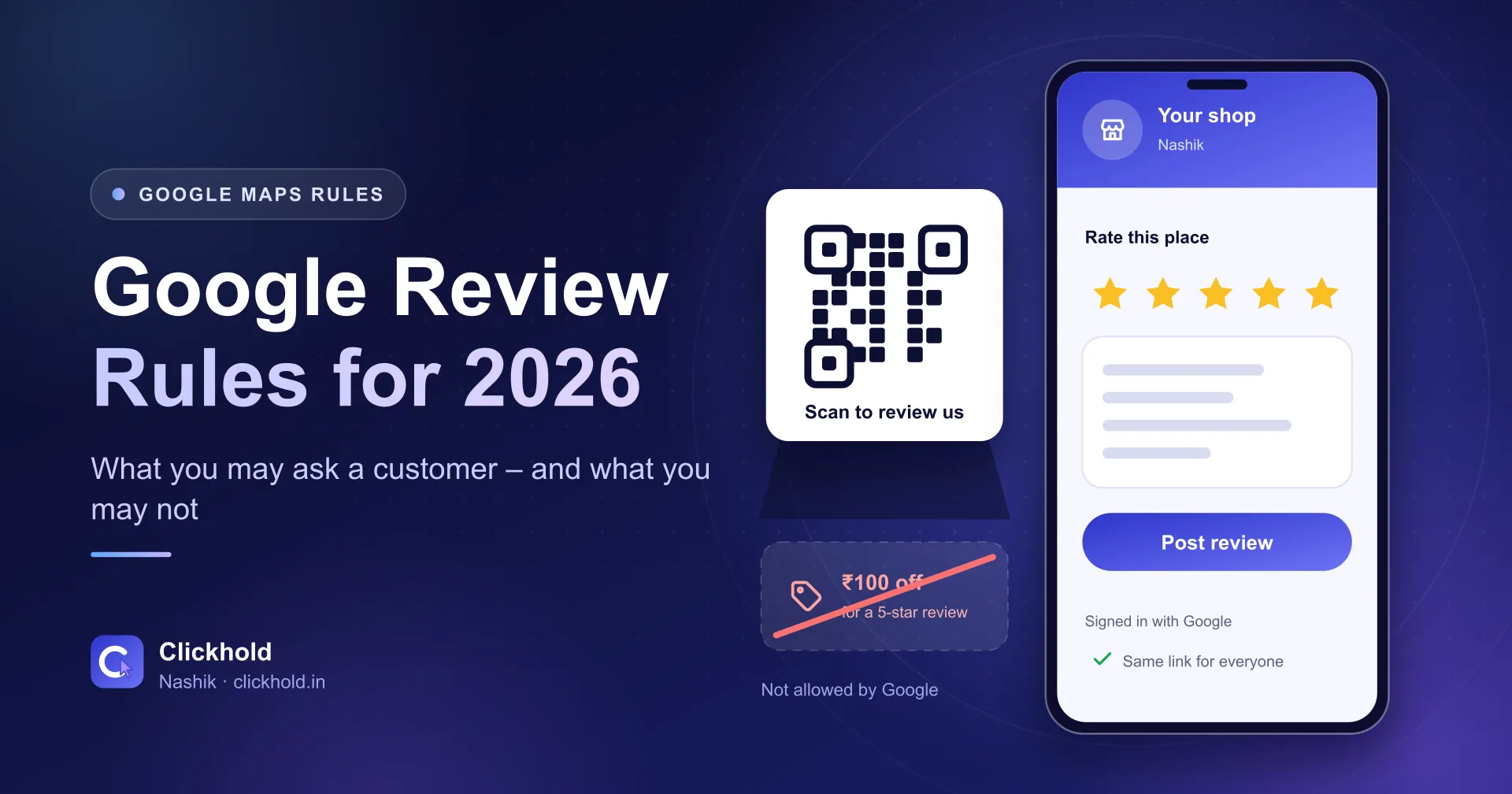
- Allowedasking every customer, with a link or QR code
- Banneda discount or gift in exchange for a review
- New rulesno staff names and no review targets for staff
- Keep botha mix of reviews reads as more honest
On this page
Quick answer
You are allowed to ask every customer for a Google review using a link or a QR code. You are not allowed to pay for one, offer a discount for one, ask only the happy customers, or tell the customer what to write – including naming a staff member.
Key takeaways
- Asking for reviews is allowed. Google's own help page tells you to share a review link or QR code.
- Offering a discount, a gift or free service for a review is called fake engagement and is strictly prohibited.
- Asking only your happy customers is banned too – Google calls that selectively soliciting positive reviews.
- You may not tell a customer what to write, name a staff member for them, or set review targets for your staff.
- A few ordinary reviews you did not script are worth more than twenty that all read the same.
Reviews are the part of Google Maps a shop owner can actually influence. So it is worth knowing exactly what Google permits — because the shortcuts that circulate on WhatsApp (“give ₹50 off for a 5-star”) are the ones that get reviews deleted.
Everything below comes from Google’s own Business Profile help pages and its contributions policy, not from a blog. Where it matters, the wording is quoted.
The short version
| You may | You may not |
|---|---|
| Ask customers for a review | Pay, discount or gift anything for one |
| Share a link or a QR code | Ask only the customers who seemed happy |
| Remind people who forgot | Tell the customer what to write |
| Reply to every review | Name a staff member for them to mention |
| Print the code on a bill or card | Set a review target for your staff |
Asking is allowed — Google tells you how
This is the part people get wrong in the other direction, and go too quiet. Google’s help page on getting more reviews says plainly that “you can ask customers to visit a Google link or scan a QR code.” It suggests putting that link on receipts, in a thank-you email, at the end of a chat, or printed in the shop.
Two practical notes from the same page:
- The customer needs a Google Account. They can make one with a non-Gmail address, but somebody who is not signed in simply cannot leave a review, which is often why a promised review never appears.
- The QR code is made on a computer. It cannot be generated in the Google Maps app on a phone. Open your Business Profile in a desktop browser, then Read reviews → Get more reviews. From there you can copy the link or save the QR image, and share by email, WhatsApp or Facebook.
What is banned
Paying for reviews, in any form
Google’s policy prohibits merchants who “offer incentives – such as payment, discounts, free goods and/or services” “in exchange for posting any review or revision or removal of a negative review.” Its help page calls this “fake & misleading content” and says it “is strictly prohibited.”
That covers the lot: a free dessert, ₹100 off the next visit, a lucky draw entry, a discount for deleting a one-star. It does not matter that the review is honest — paying for it is the violation.
Asking only your happy customers
Google prohibits businesses that “discourage or prohibit negative reviews, or selectively solicit positive reviews from customers.”
So the popular setup where you first ask “how did we do?” and only send the Google link to people who answer well is against the rules. If you ask, ask everybody. You can still collect private feedback separately — just do not use it to decide who gets the Google link.
Writing the review for them
You may not “request that specific content be included.” Google’s policy names two forms of this directly: merchants requesting that staff solicit reviews that include “content that identifies a staff member”, and merchants “requesting that staff solicit a certain number of reviews.”
In plain terms — no suggested paragraph to copy, no “please mention Rahul”, and no monthly review target for your counter staff. These are the rules people are most likely to break without meaning any harm, because asking a customer to name the person who helped them feels like a kindness.
Standing over the customer
Google says merchants “should not require or pressure users to leave ratings or write reviews while on the premises.” Handing over a card with a QR code is fine. Waiting beside the table until it is submitted is not.
What Google does permit
The same policy allows merchants to “solicit or encourage the posting of content that does represent a genuine experience” — as long as there is no incentive and no attempt to influence the rating or the content. That is a wide permission. Asking well is not a grey area; it is the intended path.
Do not delete the bad ones — reply to them
You cannot remove a review just for being negative, and you should not want to. Google’s own guidance notes that “a mix of positive and negative feedback often feels more trustworthy.”
A profile at a flat 5.0 with forty reviews that all sound alike makes a careful buyer suspicious. A 4.7 with one annoyed customer and a calm, specific reply from the owner does not. The reply is public and permanent, and it is aimed at the next reader, not at the person who complained.
Keep replies short, name the problem, say what you did. Skip the argument.
A routine that stays inside the rules
For a shop, clinic or showroom in Nashik, this is enough:
- Make the QR code once on a computer and print it on a small standee for the counter, plus a sticker on the bill book.
- Send the link after the job, by WhatsApp, to every customer — not a chosen few. One line: “Thank you. If you have a minute, a review helps us a lot.” Nothing about what to write.
- Reply to every review within two days, good or bad.
- Check the profile once a month for reviews that break Google’s rules — a competitor’s fake one-star, or a review for a different business. Those you can report.
That is it. No targets, no scripts, no coupons.
Where this fits with ranking
Reviews are one of the signals behind the local pack, and Google says so: “more reviews and positive ratings can help your business’s local ranking.” But it also says, on the same page, that there is “no way to request or pay for a better local ranking on Google.”
Both sentences are true at once. Steady genuine reviews help. Buying them does not — and the accounts that post them tend to get cleaned out later, taking your rating down with them.
If your profile needs the groundwork done first — categories, services, photos, posts and the review link set up properly — that is our Google Business Profile work, starting from ₹2,799. And if the profile is not showing in Maps at all, start with Business not showing on Google Maps.
Sources
- Tips to get more reviews — Google Business Profile Help
- Prohibited and restricted content — Google Maps contributions policy
- How Google Business Profile works — Google Business Profile Help
Want us to look at your business?
Send a WhatsApp message – you'll get honest advice and a clear, written price.
Frequently asked questions
Can I give a discount to customers who leave a Google review?
No. Google's policy lists offering payment, discounts, free goods or services in exchange for posting a review, revising one or removing a negative one. It treats that as fake engagement and prohibits it. The reviews can be removed and the profile can be penalised.
Is it against the rules to ask only the customers who seemed happy?
Yes. Google prohibits businesses that discourage or prohibit negative reviews, or selectively solicit positive reviews from customers. This is often called review gating. Send the same request to everyone you served.
Can I ask a customer to mention the staff member who helped them?
No. Google's policy says merchants should not request that staff solicit reviews that include specific content, including content that identifies a staff member. Ask for a review, not for particular words.
Can I ask customers to leave a review before they leave my shop?
You can hand them a card or point at a QR code, but Google says merchants should not require or pressure users to leave ratings or write reviews while on the premises. Standing over someone while they type it is the part to avoid.
How do I get my Google review link or QR code?
Open your Business Profile in a desktop browser – it cannot be done in the Maps app – then go to Read reviews and Get more reviews. You can copy the link or save the QR code image, and Google also offers direct sharing by email, WhatsApp or Facebook.
What should I do about a negative review?
Reply to it, politely and in public, within a day or two. Google's own guidance says a mix of positive and negative feedback often feels more trustworthy. A calm reply is read by every future customer; the review itself is read once.