Business Not Showing on Google Maps? 10 Fixes (2026)
Verified but not on Google Maps or Search? Fix suspensions, wrong categories, duplicates and service-area errors with this step-by-step guide.
 Uday SatputeFounder & CEO, Clickhold9 min read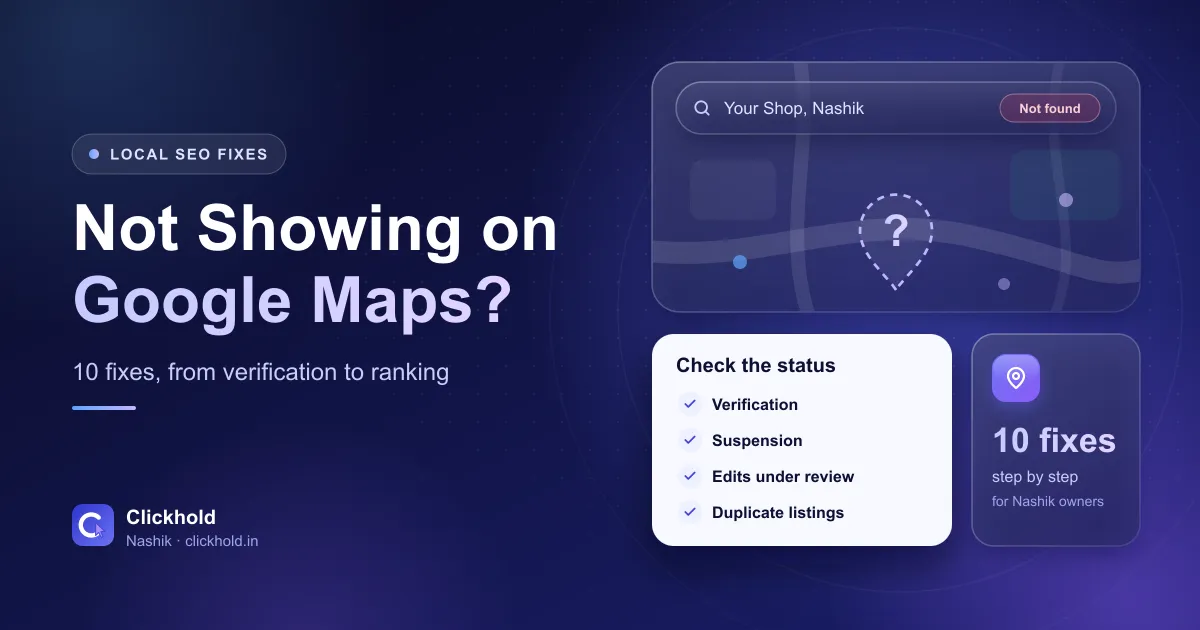
- Search your namethe 10-second first test
- Up to 5 business daysfor Google's verification review
- One profile onlynever make a second one to fix the first
- ₹2,799one-time profile fix with Clickhold
On this page
- 01Is your business missing, or just not ranking?
- 02First, check the profile status
- 03Fix 1: Verification is pending or failed
- 04Fix 2: Your profile is suspended
- 05Fix 3: You’re searching from too far away
- 06Fix 4: Your primary category is wrong
- 07Fix 5: Your service area is set up wrong
- 08Fix 6: There’s a duplicate listing
- 09Fix 7: Your recent edits are still under review
- 10Fix 8: Your name, address or phone don’t match
- 11Fix 9: You have too few reviews and photos
- 12Fix 10: You have no website, or a slow one
- 13When should you get help?
Quick answer
If your business isn't showing on Google Maps, first search its exact name. If it doesn't appear at all, the profile is usually unverified, suspended, still under review or duplicated. If it appears for its name but not for searches like "dentist near me", it's a ranking problem – usually the category, distance, reviews or an incomplete profile. Most of these you can fix yourself for free; with Clickhold, a complete profile fix costs ₹2,799 one-time.
Key takeaways
- Search your exact business name first: missing completely means a status problem, missing only for "near me" searches means a ranking problem.
- Check the profile status – verification pending, suspended or edits under review – before changing anything else.
- Never create a new profile to get around a suspension or a stuck verification. It makes things worse.
- Service-area businesses must hide their address and list only real areas, within about 2 hours' drive.
- Distance, the right category and genuine reviews decide who shows for "near me" searches.
If your business isn’t showing on Google Maps, start with one simple test: search your exact business name. If nothing comes up, the problem is the profile’s status – it’s unverified, suspended, still under review or split into duplicates. If it shows for its name but not for searches like “dentist near me”, the profile is live but isn’t ranking yet.
I’m Uday, founder of Clickhold. “Sir, my shop is not coming on Google” is one of the messages I get most often from Nashik business owners. The good news: most of the time it’s one of the ten problems below, and many of them you can fix yourself without paying anyone.
Is your business missing, or just not ranking?
Open Google Maps on your phone, in a private or incognito window if you can, and type your business name exactly as it appears on your signboard.
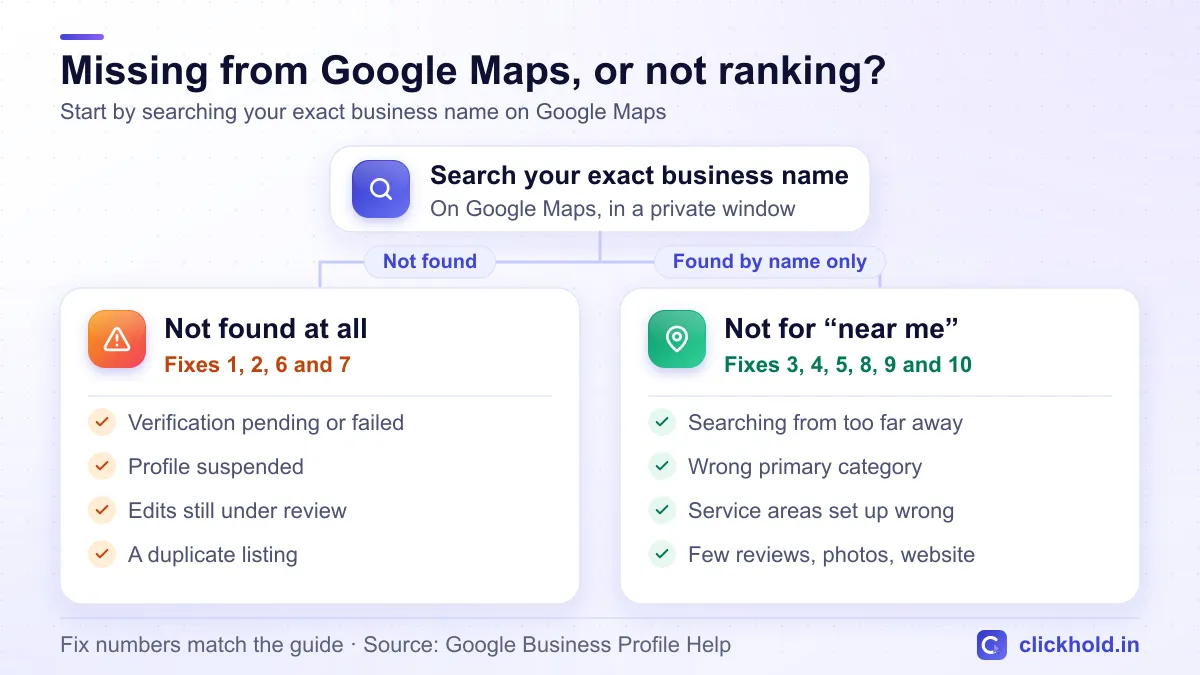
Two different problems, two different sets of fixes.
- Not found at all → go to fixes 1, 2, 6 and 7. Something is stopping the profile from being public.
- Found by name, but not for “near me” searches → go to fixes 3, 4, 5, 8, 9 and 10. The profile works; Google just isn’t choosing it yet.
First, check the profile status
Sign in with the Google account that manages the profile and search your business name on Google, or open your profile from Google Business Profile. Google shows a status message at the top. Look for:
- “Get verified” or “Verification required” – the profile isn’t public yet (fix 1).
- A suspension or “profile removed” notice – Google has taken it down (fix 2).
- “Edits under review” – a recent change hasn’t been approved yet (fix 7).
No warning at all and still missing? Check for duplicates (fix 6).
Fix 1: Verification is pending or failed
An unverified profile usually won’t show up publicly. Google’s verification help page lists the methods: phone or text, email, a video recording, a live video call or a postcard. Which ones you see depends on your business.
A few things that catch people out:
- Reviews take time. Google says verification reviews usually take up to 5 business days.
- Postcards are slow. Most codes arrive within 14 days and expire after 30 days.
- Don’t change details mid-way. Changing your business name, address or category after ordering a postcard makes the code invalid. Requesting a new code cancels the old one too.
- Video verification needs the real place. Show the outside signboard, the inside of your shop or office and something that proves you run it – a shutter key, billing counter, tools or equipment.
If verification fails, the “Get verified” button comes back. Try again, or try another method if Google offers one.
Fix 2: Your profile is suspended
Google suspends profiles that break its guidelines. The usual reasons I see in Nashik:
- Extra keywords in the business name (“ABC Clinic Best Dentist Nashik Road”)
- A virtual office, a relative’s house or an address where you don’t actually work
- A service-area business that shows its home address
- More than one profile for the same business
To appeal, use the Business Profile appeals tool that Google links from its suspended profiles page. You choose the decision you’re appealing, explain why the profile should come back and upload proof. Google suggests a business registration, licence, tax certificate or utility bill. In India that could be your Udyam certificate, shop act licence, GST certificate or electricity bill – with the same name and address as the profile.
Fix first, then appeal once
Google says an appeal can be submitted only once, and it tells owners not to create a new profile for the same business. Correct the name, address or whatever broke the rules first, then send the appeal with clear documents.
Fix 3: You’re searching from too far away
Distance is one of Google’s three main local ranking factors. If your shop is in CIDCO and you search “hardware store near me” from Panchavati, Google will usually show stores closer to you first.
So before you panic, test the way your customers search: from their area, or by adding the area name – “hardware store in CIDCO Nashik”. If you show up there but not across the city, that’s normal. You can’t move closer to every customer, but you can improve the other two factors: relevance and prominence.
Fix 4: Your primary category is wrong
The primary category tells Google what you are. A dental clinic listed as “Doctor”, or a sweet shop listed only as “Store”, will struggle to appear for the searches that matter.
Search your main service on Google Maps and see which category the top businesses use. Choose the most specific one that’s true for you, then add a few secondary categories only if they really describe your work. I’ve explained this in more detail in how to rank on Google Maps in Nashik.
Fix 5: Your service area is set up wrong
If you go to customers – a plumber, electrician, pest control or AC repair service – Google’s service area rules apply:
- Hide your address if customers don’t visit you there.
- Add up to 20 service areas by city, PIN code or area name. A radius around your address isn’t allowed.
- Stay realistic. Google says the whole area shouldn’t be more than about 2 hours’ drive from your base. A Nashik electrician can list Nashik Road, Satpur, Ambad, Sinnar and Igatpuri – not Pune or Mumbai.
- One profile per business, covering the whole service area.
Showing a home address when you don’t serve customers there breaks these rules, and it’s a common reason for suspensions.
Fix 6: There’s a duplicate listing
Duplicates happen when someone created a profile years ago, a customer added your shop to Maps, or the business moved and a new profile was made instead of updating the old one. Google may hide one of them, or split your reviews between them.
Find the duplicate on Google Maps, choose Suggest an edit and report it. Google’s help page on duplicate and merged profiles says to contact support if you haven’t heard back within 72 hours. When two profiles are merged, the reviews are combined, but replies to reviews may be lost – so save screenshots of anything important first.
Fix 7: Your recent edits are still under review
Every change you make is checked by Google first. Google’s page on what happens to your edits says reviews usually take up to 10 minutes but can take up to 30 days. While an edit is pending, customers keep seeing the old approved version.
Make your changes once, carefully, and then wait. Changing the same field again and again makes your profile look unstable, and big changes – name, address or category – can send it back for verification.
Fix 8: Your name, address or phone don’t match
Google compares your profile with your website, Justdial, IndiaMART, Facebook and other listings. If one says “Shop 4, Gangapur Road” with one phone number and another shows an old address and a different number, Google is less sure about you.
Pick one version of your name, address and phone number, and make every listing match it – including your website’s footer and contact page. Delete or correct old listings with wrong numbers.
Fix 9: You have too few reviews and photos
Prominence is about how well known and trusted your business looks. A profile with two reviews from 2021 and no photos loses to a competitor with fresh reviews and real pictures.
- Ask every happy customer for a review – send your review link on WhatsApp or keep a QR code on the counter.
- Reply to every review, good or bad.
- Add real photos of your board, inside, team and work every month.
- Never buy reviews or offer discounts for them. Google removes them and can restrict the profile.
Fix 10: You have no website, or a slow one
Your website is one of the signals Google uses to judge prominence. It also confirms your name, address, services and areas. If your profile still links to an old business.site address, that link is dead – I explained why in business.site websites are gone.
A simple, fast website with your services, areas, address, phone and a WhatsApp button helps both customers and Google. Here’s what a website costs in Nashik, if you’re starting from zero.
How to check it like a customer
Open a private or incognito window, turn on location, and search for your main service plus "near me" – or ask a friend in another part of Nashik to search and send you a screenshot. Owners signed in to their own account often see a different picture.
When should you get help?
Get help if your profile is suspended and you’re not sure why, if verification keeps failing, if there are duplicates you can’t remove, or if you’ve done everything above and still don’t appear for your main searches. One wrong step – a second profile, a rushed appeal – can turn a simple fix into weeks of waiting.
My Google Business Profile optimisation costs ₹2,799 one-time. It covers recovery and verification support, the right categories, services, photos, duplicate checks and listings with matching details. I can’t promise a ranking – Google decides that – but I will tell you honestly what’s wrong and what will fix it.
WhatsApp or call me and share your profile link or a screenshot of the warning. Not sure where to start? Ask for a free website & SEO audit – it includes a check of your Google profile.
Want us to look at your business?
Send a WhatsApp message – you'll get honest advice and a clear, written price.
Frequently asked questions
How long after verification will my business show on Google Maps?
Google says verification reviews usually take up to 5 business days, and you get an email when it's done. After that, search your exact business name on Google Maps. If it still doesn't appear, check the profile for a suspension notice or edits that are still under review.
Why does my business show for its name but not for "near me" searches?
That means the profile is live but isn't ranking. Google picks local results mainly on relevance, distance and prominence, so check your primary category, how far the searcher is from you, and your reviews, photos and website. Nobody can guarantee a position, but a complete and active profile gives you the best chance.
Can I appeal a suspended Google Business Profile?
Yes. Use Google's Business Profile appeals tool, pick the decision you're appealing and upload proof such as your business registration, licence, GST or tax certificate or a utility bill, with the same name and address as the profile. Google says an appeal can be submitted only once, so fix the problem before you send it.
Will changing my address get my profile suspended?
Not if you really moved and update it correctly, but Google may ask you to verify again or for more information. What causes trouble is changing the name, address or category again and again, or using an address where you don't actually work.
Why can I see my listing but customers can't?
You're probably signed in as the owner or searching from close to your business. Owners see their own profile and its tools even when it isn't public yet, and results change with the searcher's location. Check in a private browser window, or ask someone in another part of town to search.