Facebook & Instagram Ads Cost in India (Per Day, 2026)
How much Facebook and Instagram ads cost in India per day and per month in 2026, boost post vs Ads Manager, and a starter budget for Nashik.
 Uday SatputeFounder & CEO, Clickhold8 min read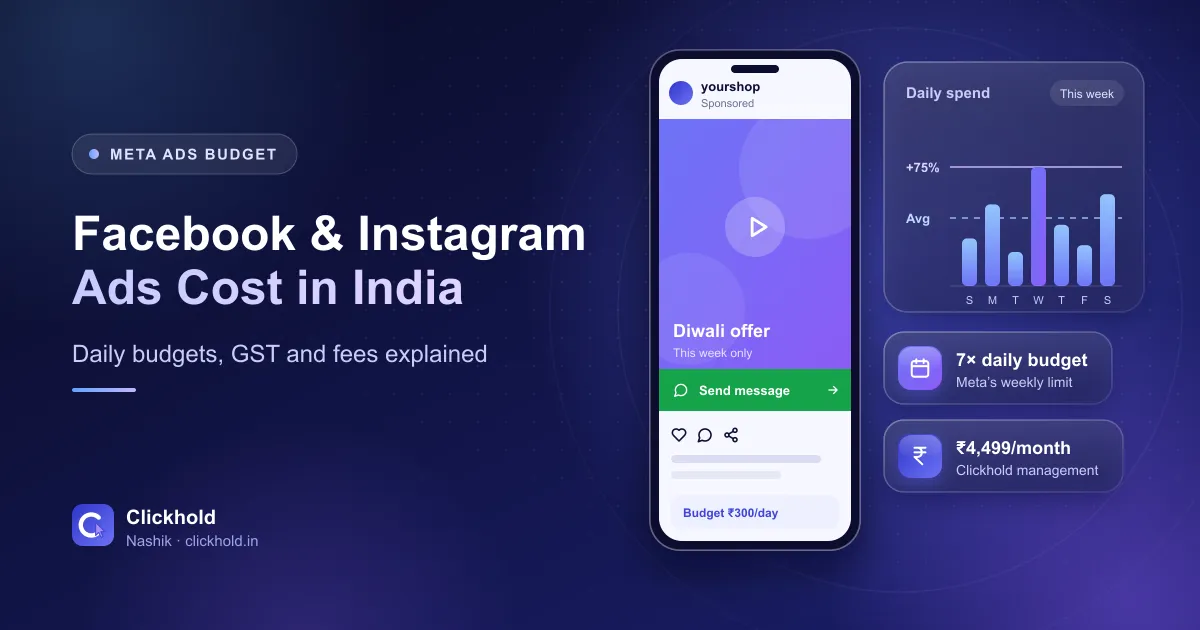
- ₹4,499/monthClickhold management fee
- Paid to Metayour ad budget, from your own account
- 7 × dailythe most Meta spends in a week
- Cost per enquirythe number that really matters
On this page
- 01What are the two costs of Facebook and Instagram ads?
- 02How does Meta decide what you pay?
- 03How do daily and lifetime budgets work?
- 04Boost post or Ads Manager: which should you use?
- 05What could a Nashik business start with?
- 06How do GST and payments work for Meta ads?
- 07How do you lower your cost per lead?
- 08Is Meta the right place for your ads?
- 09Need help?
Quick answer
Facebook and Instagram ads have no fixed price in India. You choose a daily or lifetime budget, Meta's auction decides what each view or click costs, and GST applies on top. If someone manages the ads for you, that's a separate fee – ₹4,499 per month with Clickhold. A daily budget can spend up to 75% more on a good day, but Meta says it won't spend more than 7 times the daily amount in a week.
Key takeaways
- There are two costs: the ad budget paid to Meta (with GST) and a management fee – ₹4,499/month with Clickhold.
- There's no price list. Meta runs an auction for every ad view, and a relevant ad can beat a bigger budget.
- A daily budget is an average: up to 75% more on a busy day, but no more than 7× the daily budget in a week.
- Boosting a post and Ads Manager use the same auction. Ads Manager gives you more control and better tracking.
- Judge ads by what each WhatsApp chat, call or form costs you, not by likes or reach.
Facebook and Instagram ads in India don’t have a fixed price. You choose the budget, Meta’s auction decides what each view or click costs, and 18% GST applies on top. If someone manages the ads for you, their fee is separate – ₹4,499 per month with Clickhold, with the ad budget paid directly to Meta from your own account.
I’m Uday, and our team runs Facebook and Instagram ads for businesses in and around Nashik. The question I hear most is “minimum kitna lagega?” The honest answer is that the minimum is small, but the useful budget depends on your business. This guide shows how Meta charges, how daily budgets really behave, and how to start without wasting money.
What are the two costs of Facebook and Instagram ads?
1. The ad budget. This is what Meta charges for showing your ads on Facebook, Instagram, Messenger and its partner apps. It’s charged to your payment method in your own ad account, and GST is added to it (more on that below).
2. The management fee. This pays for the person or team who plans, designs and improves your campaigns. With Clickhold it’s ₹4,499 per month and covers the ad account set-up, campaign strategy, lead and click-to-WhatsApp ads, local and retargeting audiences, ad designs and copy, Meta Pixel tracking, weekly optimisation and a monthly report. The full list is on our Facebook & Instagram ads page.
Keep the ad account in your name
Pay Meta from your own ad account and your own card or payment method. If someone runs your ads "from their account", you lose the history, audiences and tracking the day you stop working together.
How does Meta decide what you pay?
There’s no rate card. Every time someone opens Facebook or Instagram and there’s space for an ad, Meta holds a quick auction between the advertisers who want to reach that person.
The highest budget doesn’t automatically win. Meta looks at three things: your bid, how likely that person is to do what you want – message you, fill a form, visit your site – and the quality of your ad, including how people react to it. In practice, a clear, relevant ad can win views for less money than a dull ad with a bigger budget.
You’ll see these terms in your reports:
| Term | What it means |
|---|---|
| CPM | Cost per 1,000 impressions – what 1,000 views of your ad cost |
| CPC | Cost per click on your ad’s link or button |
| Cost per result | What each result costs – a WhatsApp chat, a lead form, a call |
| Frequency | How many times, on average, each person saw your ad |
For most campaigns Meta charges by impressions, even if your goal is messages or leads. That’s why cost per result is the number to watch: it shows what you’re really paying for each enquiry.
How do daily and lifetime budgets work?
You can set a daily budget (an average to spend each day) or a lifetime budget (a total spread across the dates you choose).
A daily budget is an average, not a hard cap. Meta’s help page on daily budgets explains that on days with better opportunities it can spend up to 75% more than your daily budget, and less on quieter days – but it won’t spend more than 7 times your daily budget in a calendar week.
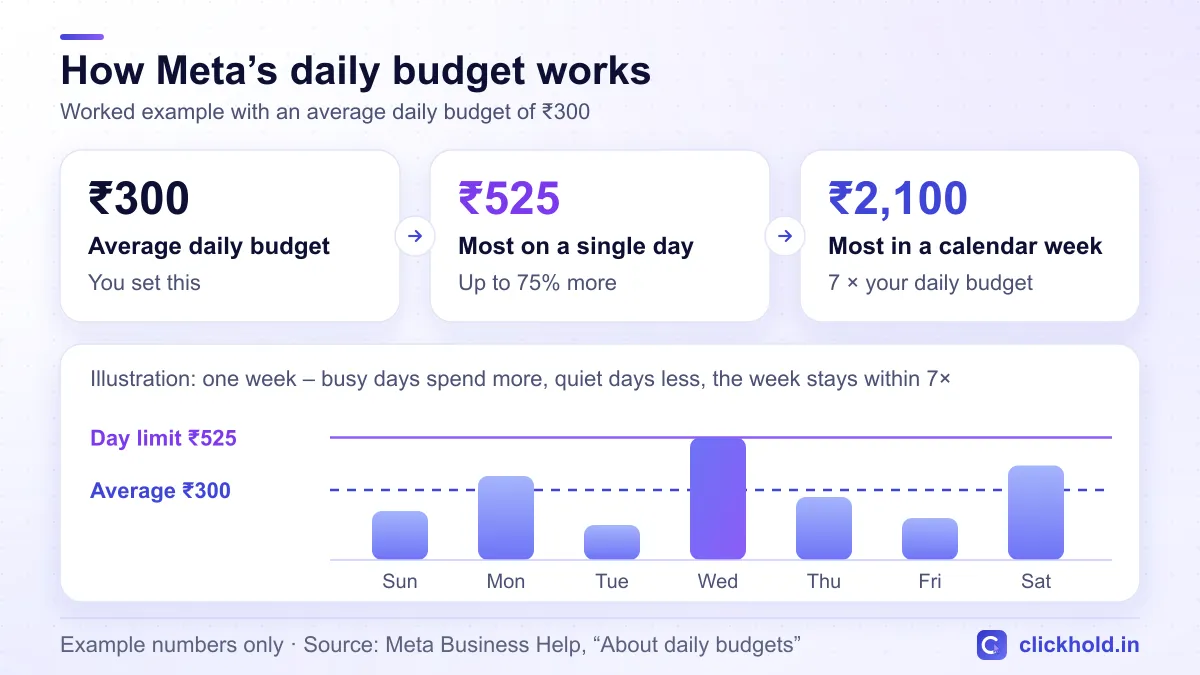
Example numbers only – the same rule applies to any daily budget.
So with an example budget of ₹300 a day, one day might show ₹480 and another ₹150, but the week stays within ₹2,100. For a month, plan for roughly 30 times your daily budget, plus GST.
A lifetime budget suits a campaign with a clear end date – a Diwali sale, an admission drive or a property launch weekend. Meta spreads the total across the schedule and won’t go over it.
Boost post or Ads Manager: which should you use?
The blue Boost button on a post or reel is the quickest way to advertise. Ads Manager is Meta’s full advertising tool. Both use the same auction, so a boost isn’t a cheaper rate – the difference is control.
| Boost a post | Ads Manager | |
|---|---|---|
| Where you start | A post or reel on your Page or Instagram | Ads Manager |
| Goals | A few simple ones, like messages or profile visits | Every campaign goal, including lead forms and sales |
| Targeting | Location, age and interests | The same, plus retargeting and lookalike audiences |
| Creative | The post as it is | New images, videos and versions to test |
| Tracking | Basic results | Pixel, conversions, tests and detailed breakdowns |
| Best for | Giving a post that’s already doing well a push | Campaigns where you need enquiries you can measure |
Boosting is fine for a quick test. When the goal is calls, WhatsApp chats or leads, Ads Manager almost always makes better use of the same money.
What could a Nashik business start with?
There’s no budget that suits everyone, but the starting point does change with the type of business. Here’s how I usually set up a first campaign:
| Business | First goal | Ad type that usually fits |
|---|---|---|
| Boutique, jewellery or furniture shop | WhatsApp chats and shop visits | Click-to-WhatsApp ads with reels of new stock |
| Restaurant or café | Visits from nearby areas | Reels of signature dishes, a tight local area |
| Clinic or physiotherapy centre | Appointment enquiries | Message ads with factual information |
| Coaching classes | Parent and student enquiries | Lead forms during admission season |
| Builder or real estate | Site-visit bookings | Lead forms with project details and a call back |
Clinics should keep claims factual – Meta has extra rules for health ads, and patient photos need consent. If you’re unsure whether to start on Meta or Google, read Google Ads vs Facebook Ads for local businesses. It also explains how click-to-WhatsApp ads work.
Here’s a worked example to show the maths. The figures are made up – your real costs only show once ads run.
| Worked example (not a quote or a forecast) | Amount |
|---|---|
| Average daily budget | ₹300 |
| Most Meta spends in a week (₹300 × 7) | ₹2,100 |
| Roughly a month of ads (₹300 × 30) | ₹9,000 |
| GST at 18% on that ad spend | ₹1,620 |
| If each WhatsApp chat cost ₹75 (made-up figure) | about 120 chats |
| Clickhold management fee | ₹4,499 per month |
What matters is the cost of each chat or lead compared with what a customer is worth to you. If a chat costs far less than a customer brings in, increase the budget step by step. If it doesn’t, change the offer, creative or audience before spending more.
How do GST and payments work for Meta ads?
GST. 18% GST applies to ad spend in India. How it shows up depends on how your ad account is billed and whether you’ve added your GSTIN in your billing settings: either Meta adds it to the invoice, or you pay it yourself under reverse charge. Your CA can tell you which applies to you and whether you can claim it as input tax credit.
Payments. Depending on your account, Meta either charges your card or payment method automatically as you spend, or works on prepaid funds – you add money first and ads run until it’s used up. Open Billing & payments in Meta Business Suite to see which methods your account can use, and download your invoices from there every month.
Budget for GST from day one
If you plan ₹9,000 of ads in a month, keep about ₹10,620 aside so GST doesn't come as a surprise.
How do you lower your cost per lead?
- Show a clear offer. “Free eye check-up this Sunday” beats “Best opticians in Nashik”.
- Lead with a reel. Short, real videos with a strong first two seconds usually beat a static poster. Here are some reel ideas for Nashik businesses.
- Target the area you serve. A few kilometres around your shop, or the parts of Nashik you deliver to – not all of Maharashtra.
- Make contact easy. Click-to-WhatsApp or a short lead form with only the questions you need.
- Reply fast. A chat that waits hours often goes to a competitor.
- Don’t change everything daily. Big edits can send a campaign back into Meta’s learning phase. Give it about a week before judging.
- Refresh tired ads. If frequency keeps climbing and results drop, the same people have seen it too often.
- Plan for busy seasons. Diwali, Navratri and wedding season bring more advertisers, so costs often rise – start earlier, with ads you’ve already tested.
Is Meta the right place for your ads?
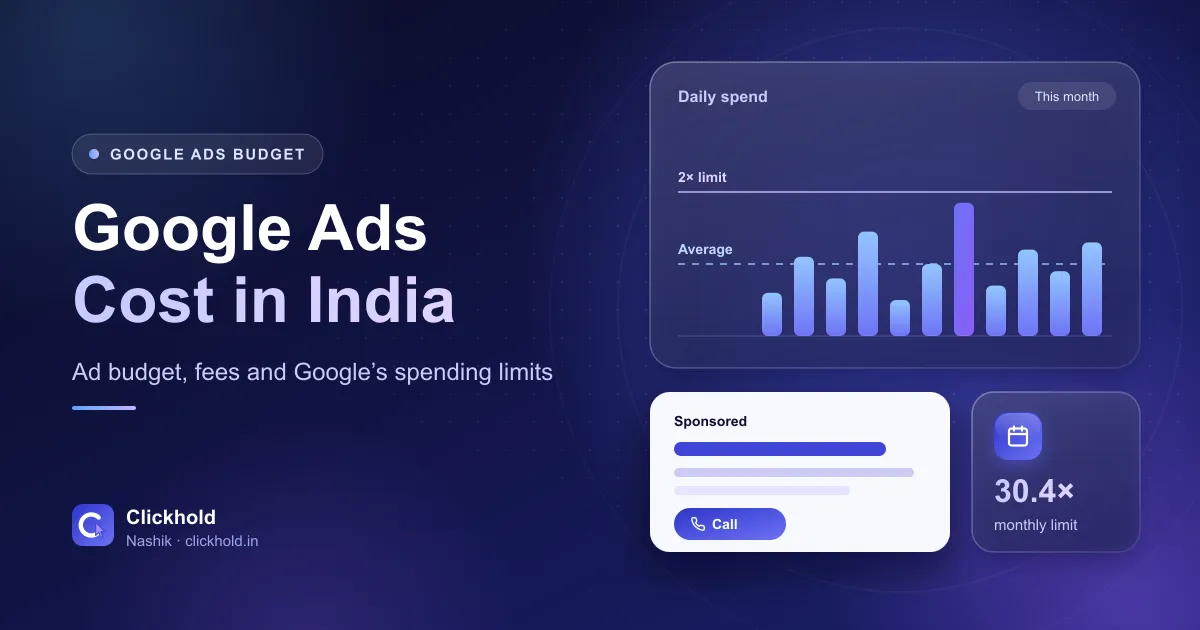
Facebook and Instagram are best when your offer is visual and people discover it while scrolling – food, fashion, interiors, events, admissions and property launches. If customers search for you when they need you, like a plumber or an emergency clinic, start with Google instead. Here’s what Google Ads costs in India.
Ads also work better when your Instagram page looks active, because people check it before they message. Our social media management and reels editing keep your page ready for ad traffic.
Need help?
WhatsApp or call me with what you sell, where your customers are and roughly what a new customer is worth to you. I’ll suggest a sensible starting budget – and tell you honestly if Meta isn’t the right fit yet. If your ads will send people to your website, ask for my free website & SEO audit first.
Want us to look at your business?
Send a WhatsApp message – you'll get honest advice and a clear, written price.
Frequently asked questions
What is the minimum budget for Instagram ads in India?
Meta sets a small minimum daily budget that depends on your currency and on what you're charged for, and Ads Manager tells you if your amount is too low as you type it. The minimum lets an ad run, but it's rarely enough to learn which ads bring enquiries, so choose a budget you can keep for a few weeks.
Is boosting a post cheaper than running ads in Ads Manager?
No, boosted posts and Ads Manager campaigns go into the same auction, so a boost isn't a cheaper rate. Boosting is quicker but has fewer goals, targeting and tracking options. Ads Manager usually gets more out of the same budget because you can test versions and measure real enquiries.
Is GST charged on Meta ads in India?
Yes, 18% GST applies to ad spend. Depending on how your ad account is billed and whether you've added your GSTIN, it's either shown on Meta's invoice or you pay it yourself under reverse charge. Ask your CA which applies to you and whether you can claim it back.
How much should a Nashik shop spend on Facebook ads each month?
There's no fixed number. Work out what a new customer is worth, choose an amount you're comfortable spending for a few weeks while you learn, and judge it by the cost of each real enquiry. Clickhold's ₹4,499 monthly management fee is separate from that ad budget.
Why did my cost per lead go up?
The usual reasons are more advertisers in busy seasons like Diwali and wedding season, the same people seeing the same ad too often, an audience that's too narrow, or big edits that restart Meta's learning. A fresh creative, a clearer offer and fewer changes usually help.