Google Ads Cost in India (2026): Budget Guide for Nashik
Google Ads cost in India: ad budget vs a ₹5,400/month management fee, how clicks are priced, Google's spending limits and how to start small.
 Uday SatputeFounder & CEO, Clickhold8 min read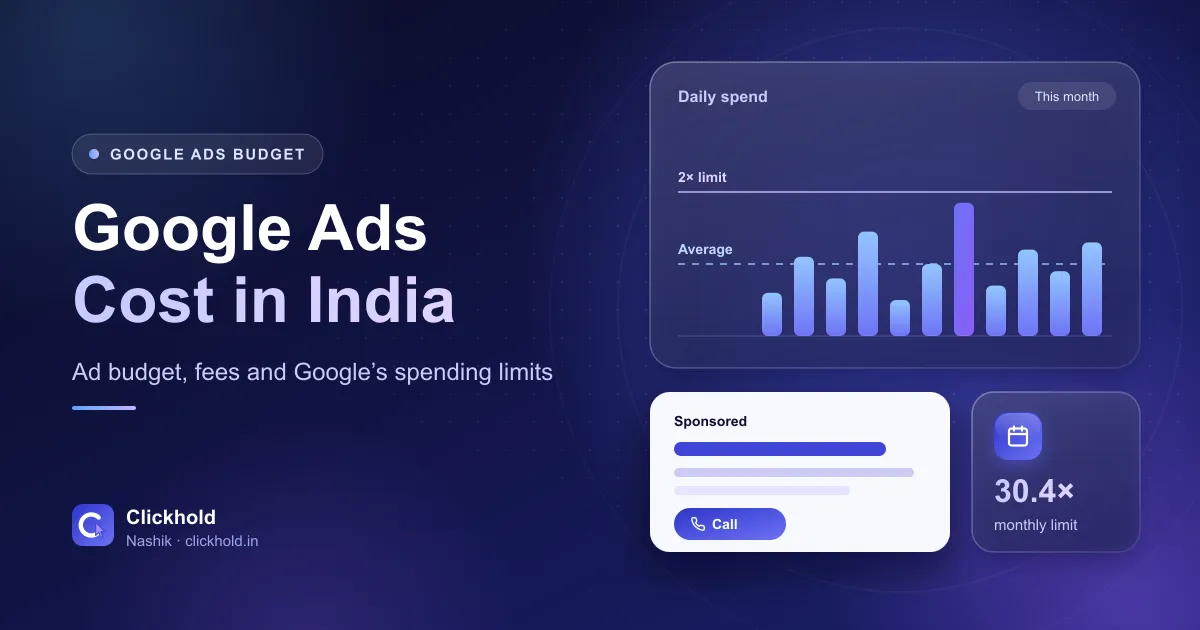
- ₹5,400/monthClickhold management fee
- Paid to Googleyour ad budget, from your own account
- 30.4 × dailythe most you're billed in a month
- Track callsand WhatsApp taps before you scale
On this page
- 01What are the two costs of Google Ads?
- 02How does Google decide what you pay per click?
- 03Why are clicks more expensive for some businesses?
- 04How do daily budgets and Google’s billing limits work?
- 05How much should a Nashik business start with?
- 06How do you start small without wasting money?
- 07How do you track calls and WhatsApp enquiries from Google Ads?
- 08Is Google Ads the right choice for your business?
- 09Need help?
Quick answer
Google Ads has two costs: the ad budget you pay directly to Google (plus GST), and a management fee if someone runs the campaigns for you – ₹5,400 per month with Clickhold. You set an average daily budget; for most campaigns a busy day can spend up to twice that, but a month is never billed above 30.4 times it.
Key takeaways
- There are two costs: the ad budget paid directly to Google (with GST on top) and a management fee – ₹5,400/month with Clickhold.
- There's no fixed price per click. Google runs an auction, and you're often charged less than your maximum bid.
- A campaign can spend up to 2× its average daily budget on a busy day, but you're never billed more than 30.4× it in a month.
- Start with one campaign, a tight area and a few high-intent keywords, then judge it by cost per enquiry.
- Set up call, WhatsApp and form tracking before you spend, or you're guessing.
Google Ads in India has two separate costs: the ad budget you pay directly to Google, and the fee for whoever manages your campaigns – ₹5,400 per month with Clickhold. You decide the budget. Google decides what each click costs through an auction, within the limits you set.
I’m Uday, and our team runs Google Ads for businesses in Nashik. The question I hear most is “what’s the minimum budget?” There’s no single answer, but there is a clear way to work it out. This guide explains how the costs work, how Google’s daily and monthly limits really behave, and how to start small without wasting money.
What are the two costs of Google Ads?
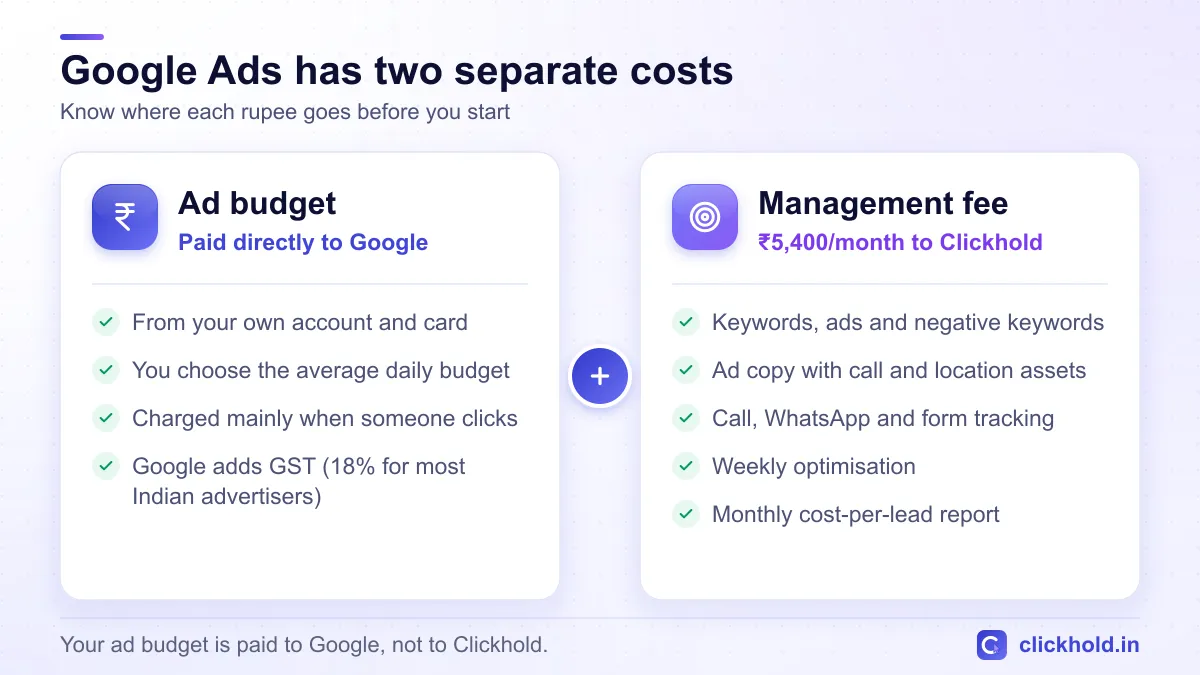
Your ad budget goes to Google. The management fee pays for the work.
1. The ad budget. This is what Google charges for your ads – for search ads, mainly when someone clicks. It’s charged to your own payment method in your own Google Ads account. For Indian advertisers, Google adds GST to these charges; its tax help page lists 18% IGST for most accounts. If your business is GST-registered, ask your CA whether you can claim it back.
2. The management fee. This pays for the person or team who plans, builds and improves your campaigns. With Clickhold it’s ₹5,400 per month and covers keyword research, ad copy, negative keywords, call and conversion tracking, weekly optimisation and a monthly cost-per-lead report. The full list is on our Google Ads management page.
Keep the two separate – in your head and in your accounts.
Keep the ad account in your name
If someone asks you to pay the ad budget to them so they can run it "from their account", say no. If the account isn't yours, you lose its history, data and tracking the day you stop working together. Your account, your card – your manager only gets access.
How does Google decide what you pay per click?
There’s no fixed price list for clicks. Every time someone searches, Google runs a quick auction among the advertisers who want to appear for that search.
Your bid is only part of it. According to Google’s Ad Rank help page, your position depends on your bid, the quality of your ad and landing page, the competition in that auction, the context of the search (such as the person’s location, device and time), and the expected impact of extras like call buttons and sitelinks.
Two useful things follow from this:
- You often pay less than your maximum bid. Google explains that you’re charged only what’s needed to beat the advertiser just below you and clear its minimum thresholds (actual cost-per-click).
- A better ad can cost less. A relevant ad that leads to a useful page can win a good position without the highest bid.
Why are clicks more expensive for some businesses?
Click prices vary by keyword, area and season. I won’t give you an “average cost per click in Nashik”, because no honest single number exists – a search for dental implants and a search for a mobile cover are completely different auctions.
What pushes the cost up:
- More advertisers chasing the same search. Clinics, real estate, coaching and travel are crowded.
- High-value customers. When one sale is worth a lot, competitors bid more.
- Wide targeting. Showing ads across Maharashtra when you only serve Nashik wastes clicks.
- Weak ads or a slow page. Lower quality can mean paying more for a worse position.
- Busy seasons. Admissions, Diwali and the wedding season bring more competition.
What brings it down: tight locations, specific keywords, negative keywords that block job seekers and “free” searches, and a fast page with call and WhatsApp buttons.
How do daily budgets and Google’s billing limits work?
In Google Ads you set an average daily budget for each campaign. It’s an average, not a hard daily cap – and this surprises many first-time advertisers.
Google’s help page on spending limits explains two rules that apply to most campaigns:
- Daily limit: on a busy day, a campaign can spend up to 2 times your average daily budget.
- Monthly limit: in a calendar month, you won’t be billed more than 30.4 times your average daily budget (30.4 is the average number of days in a month). If Google serves more than that, it covers the difference.
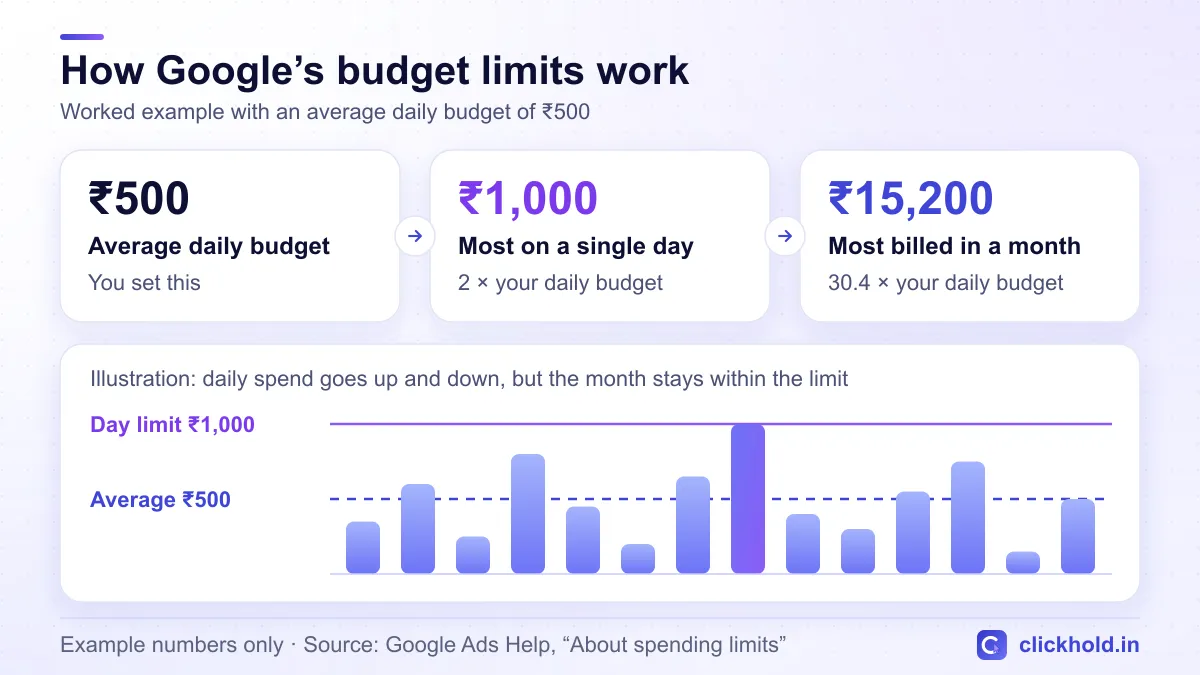
Example numbers only – the same rule applies to any daily budget.
So with an example budget of ₹500 a day, one day might show ₹900 and another ₹200, but the month’s ad bill stays within ₹15,200. If you change the budget halfway through the month, Google paces the rest of the month to the new amount.
Work backwards from a monthly figure
Decide what you're comfortable spending in a month, then divide by 30.4. For example, ₹9,120 ÷ 30.4 = ₹300 as your average daily budget.
How much should a Nashik business start with?
There’s no rule that suits everyone, so here’s how I work it out with clients:
- What is one customer worth? Think about the first bill and repeat visits. A new patient, an admission and a furniture order are worth very different amounts.
- What can you spend to learn? The first few weeks show which keywords bring real enquiries. Choose an amount you’re comfortable with even if the first month is mostly learning.
- Is it enough to learn from? If the budget only buys a handful of clicks a day, it takes longer to see what works.
Here’s a worked example. The numbers are made up to show the maths – your real click costs only show once your ads run.
| Worked example (not a quote or a forecast) | Amount |
|---|---|
| Average daily budget | ₹500 |
| Most you’re billed for ads in a month (₹500 × 30.4) | ₹15,200 |
| GST at 18% on that ad spend | ₹2,736 |
| If clicks averaged ₹25 (made-up figure) | about 608 clicks |
| If 1 in 20 clicks became a call or chat (made-up figure) | about 30 enquiries |
| Clickhold management fee | ₹5,400 per month |
The figure that matters is the cost of each enquiry compared with what a customer is worth. If an enquiry costs far less than a customer brings in, increase the budget step by step. If it doesn’t, fix the keywords, ads or landing page before spending more.
How do you start small without wasting money?
- One campaign, one goal. Start with a Search campaign for your main service and decide what counts as a result – a call, a WhatsApp chat or a form.
- A tight area. Target the parts of Nashik and the nearby towns you actually serve, not the whole state.
- A few high-intent keywords. Searches like "AC repair Nashik Road" or "dentist near me", not broad words like "AC".
- Negative keywords from day one. Block searches containing words like job, salary, course, training and free.
- Ads during working hours. If nobody answers the phone at night, don't pay for night-time calls.
- A page built for enquiries. Fast on mobile, with call and WhatsApp buttons near the top.
- Review after a few weeks. Look at cost per enquiry, keep what works and pause what doesn't.
If your website is slow or has no clear call button, fix that first – here’s what a website costs in Nashik. Ads can’t rescue a page that doesn’t turn visitors into enquiries.
How do you track calls and WhatsApp enquiries from Google Ads?
Clicks are not customers. Before you spend, set up tracking for:
- Calls from the ad itself – using a call button (call asset) on your ads.
- Taps on your website’s call and WhatsApp buttons – tracked as conversions, usually through Google Tag Manager.
- Enquiry form submissions – tracked when the thank-you message or page appears.
- Offline checks – ask every new customer how they found you, and label WhatsApp chats that came from ads.
With this in place, your monthly report can show cost per enquiry, not just clicks and impressions. That’s the number that tells you whether to spend more.
Is Google Ads the right choice for your business?
Google Ads works best when people already search for what you sell – clinics, repairs, urgent services, admissions, travel and real estate. If your offer is visual and people don’t search for it, like a new café or a boutique’s latest collection, Facebook and Instagram ads may suit you better. I’ve compared the two in Google Ads vs Facebook Ads for local businesses, and you can see our Facebook & Instagram ads service as well.
Google Ads also pairs well with a good Google Maps listing: the ads can bring calls from the first weeks, while the free listing builds up over time.
Need help?
WhatsApp or call me with your service, the areas you cover and roughly what a new customer is worth to you. I’ll suggest a sensible starting budget and tell you honestly if Google Ads isn’t the right fit yet. Not sure your website is ready for ad traffic? Start with our free website & SEO audit.
Want us to look at your business?
Send a WhatsApp message – you'll get honest advice and a clear, written price.
Frequently asked questions
How much does Google Ads cost per month in India?
It depends on the budget you choose, because you set it yourself. Google adds GST to the ad charges, and if someone manages the campaigns there's a fee on top – ₹5,400 per month with Clickhold.
Is the ad budget included in the ₹5,400 fee?
No, the ₹5,400 monthly fee only covers setting up, running and improving your campaigns. The ad budget is paid directly to Google from your own account, so you always see where it goes.
Why did Google spend more than my daily budget?
Because the daily budget is an average. On busy days Google can spend up to twice it and less on quiet days, but you're never billed more than 30.4 times your average daily budget in a month.
What is a good cost per click in Nashik?
There's no single good number, because click prices depend on your keywords, competition, area and ad quality. The useful number is cost per enquiry – what each real call or WhatsApp chat costs – compared with what a customer is worth to you.
Can I start Google Ads with a small budget?
Yes, you choose the budget yourself. Start with one campaign, a tight area and a few high-intent keywords, and increase the budget only once you can see which clicks turn into calls or chats.