Landing Page Checklist for Google & Meta Ads (2026)
A landing page checklist for ads: match the ad, show the price, add call and WhatsApp buttons, load fast on phones. 12 checks from a Nashik ads manager.
 Uday SatputeFounder & CEO, Clickhold7 min read
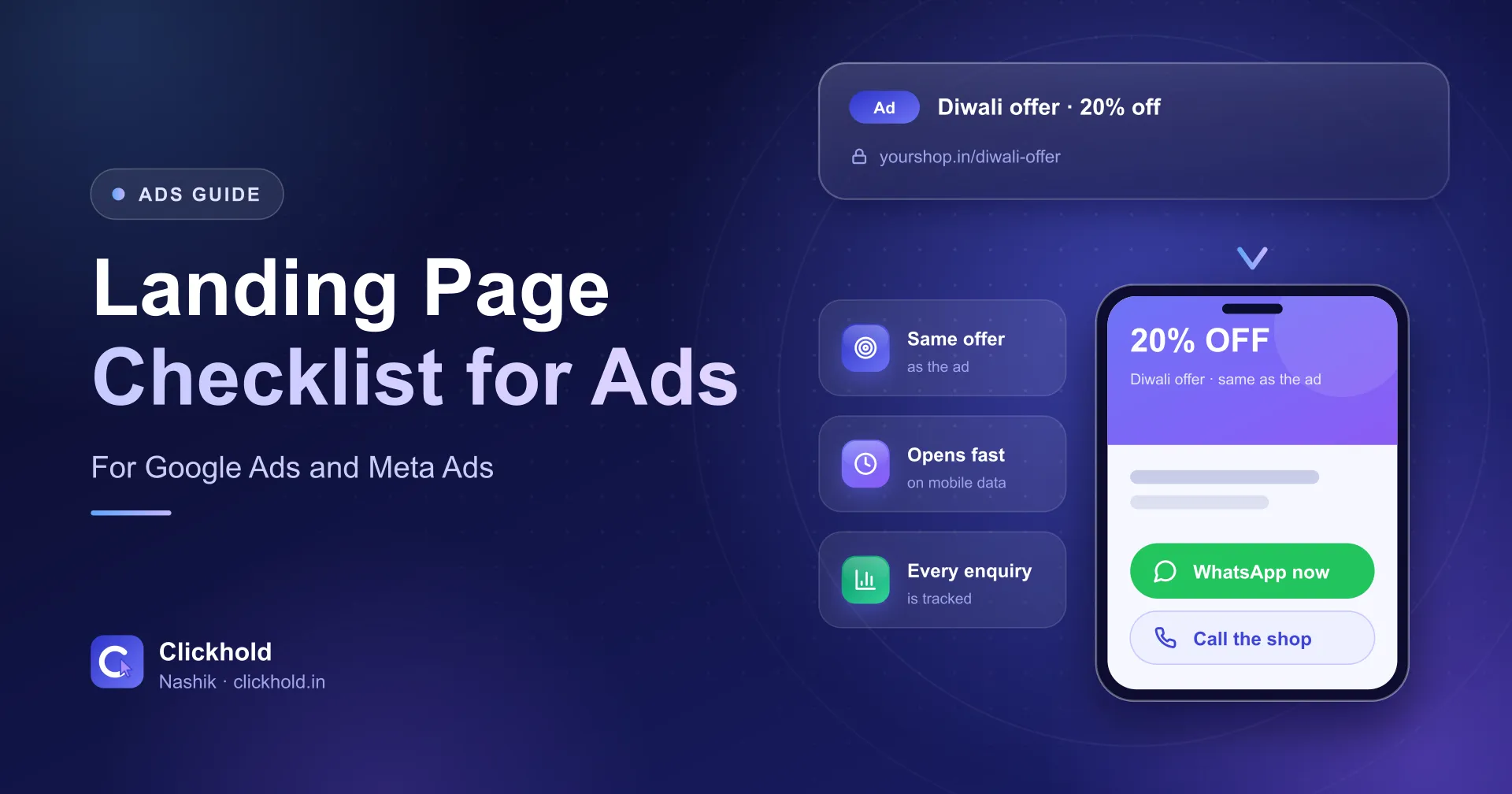
- 1 ad = 1 pagethe page answers what the ad promised
- Phone firstmost ad clicks open on a mobile
- 12 checksbefore you spend a rupee on clicks
On this page
- 01What is a landing page for ads?
- 02Why not send ads to the home page?
- 03The 12-point landing page checklist
- 04What should be in the first screen on a phone?
- 05Is a landing page different for Meta Ads?
- 06A Nashik example: one business, three ads, three pages
- 07Common landing page mistakes I see
- 08How do you test a landing page before the ad goes live?
- 09Should you build it yourself or get help?
Quick answer
A landing page for ads is the one page a click opens, built for that one ad. It should repeat the ad's offer, show the price, timings and location, put call and WhatsApp buttons in view on a phone, load fast, and track every enquiry.
Key takeaways
- Send each ad to the page that answers its search or offer – not to your home page.
- Repeat the ad's words, offer and price at the top of the page.
- Put call and WhatsApp buttons where a thumb can reach them without scrolling.
- Test the page on a phone over mobile data before the ad goes live.
- Track every call, chat and form, so you know what each enquiry cost.
A landing page for ads is the one page a click opens, built for that one ad. It repeats the ad’s offer, shows the price, timings and location, keeps call and WhatsApp buttons in view on a phone, loads fast and tracks every enquiry. Get these right before you spend on clicks.
I’m Uday from Clickhold in Nashik. When a business owner tells me “Google Ads don’t work for me”, I usually open the ad first – and then the page it sends people to. Very often the ad is fine. The page is the problem: a home page with a slider, no price, and a phone number hidden in the footer.
This is the checklist I use before any campaign goes live.
What is a landing page for ads?
It’s the page that opens after the click – and it has one job: turn that click into a call, chat or form. Google Ads calls it the final URL. On Meta it’s the website link on the ad, unless the ad opens WhatsApp or a lead form instead.
A landing page is not a different kind of website. It can be one page of your normal site – as long as it is made for the person who clicked that ad.
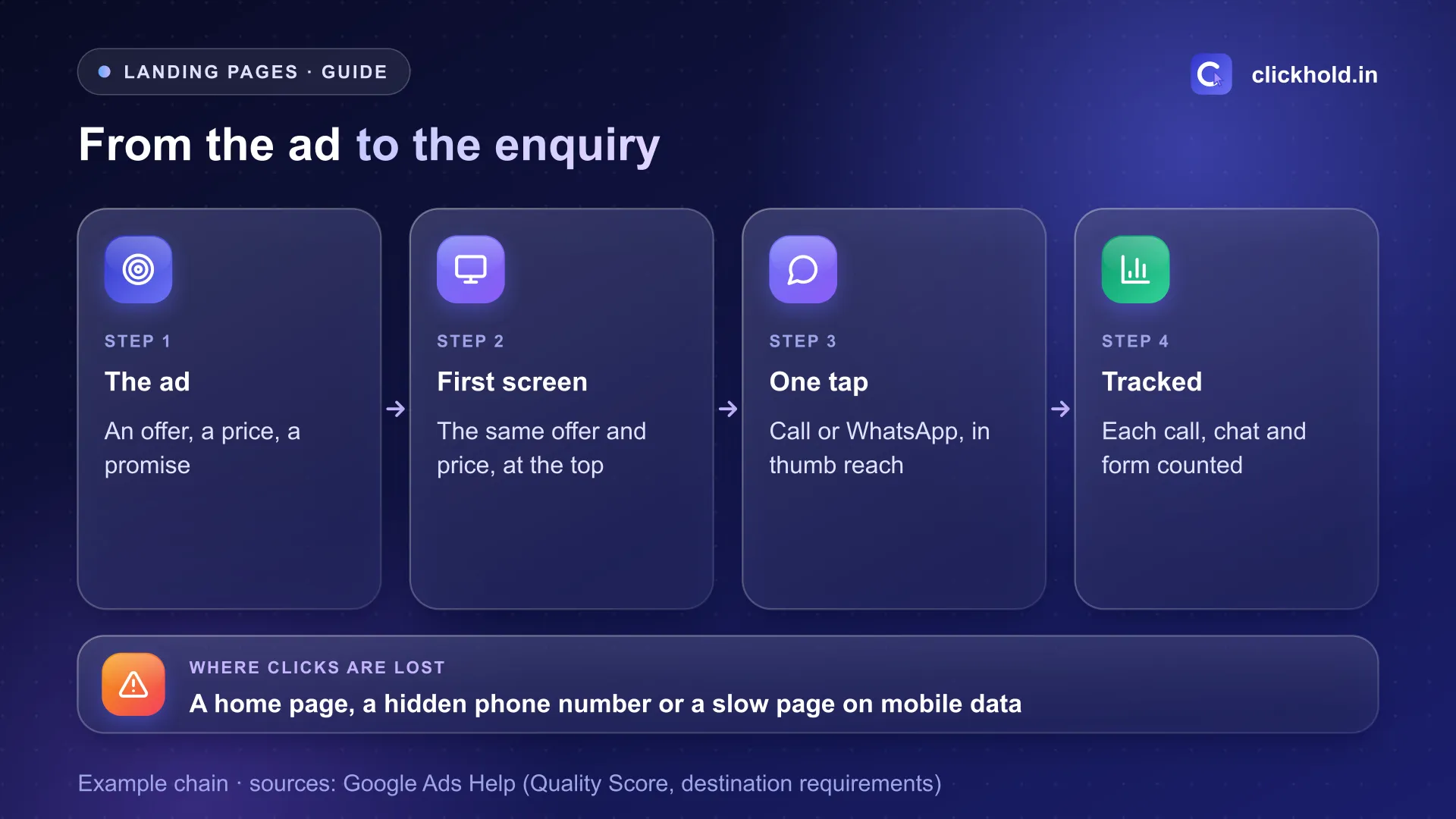
From the ad to the enquiry. If any link in this chain breaks, the click is paid for and lost.
Why not send ads to the home page?
Because the visitor searched for one thing, and the home page talks about everything. Someone who searched “class 10 maths tuition” wants that batch’s timing and fee – not your whole list of courses.
Google says the same in its own words. Landing page experience is one of the three parts of Quality Score: “How relevant and useful your landing page is to people who click your ad.” Its advice on improving it starts with “Give people what they’re looking for” and keeping the message consistent from the ad to the page.
The 12-point landing page checklist
Match the ad (checks 1–3)
- Same words. If the ad says “AC service at home”, the page heading says AC service at home, not “Welcome to our company”.
- Same offer. A discount, free trial class or festival price in the ad must be on the page – and still valid.
- One page per service. Tuition, physio, bridal makeup – each gets its own page and its own ads.
Answer the questions (checks 4–7)
- Price or “from” price. A starting price stops “how much?” calls and brings serious ones.
- Timings. Opening hours, batch times or visit slots – with holiday closures.
- Where you are. Area, landmark and a map pin. In Nashik, I also write which side of the main road you’re on.
- Proof. Real photos of your place and work, and genuine Google reviews quoted word for word. Doctors and clinics must follow the NMC rules – see my guide to digital marketing for doctors.
Make the next step easy (checks 8–10)
- Call and WhatsApp buttons in the first screen on a phone, and again at the bottom.
- A short form, if any. Name, phone and one question. Every extra field loses people.
- No exits. Hide the full menu, sliders and links to other services that pull the visitor away.
Technical checks (11–12)
- Fast on mobile data. Google’s advice includes making the page mobile friendly and improving load speed. Test it free on PageSpeed Insights and fix large images first.
- Working, crawlable and tracked. Google disapproves ads whose destination doesn’t work, can’t be crawled or is hard to navigate. And add conversion tracking – a click on call, WhatsApp or the form should be counted.
What should be in the first screen on a phone?
The heading with the ad’s offer, the price, and the call and WhatsApp buttons – without scrolling. Most clicks from local ads open on a phone, so I check the page on my own phone first, not on a laptop.
| First screen | Below it |
|---|---|
| Heading with the ad’s words | Photos of your place and work |
| One-line answer: what, where, price | Details, steps or batch list |
| Call and WhatsApp buttons | Reviews, FAQs, map |
Is a landing page different for Meta Ads?
The checklist is the same, but the visitor is colder. On Google, people are searching. On Instagram and Facebook, they were scrolling – so the page has to explain a little more and build trust faster.
- Keep the reel’s look. Same face, same place, same price as the video they just watched.
- Or skip the page. For many local businesses, a click-to-WhatsApp ad or a lead form is simpler than a page. The checklist then applies to your first WhatsApp reply.
My page on Meta Ads in Indira Nagar shows how a reel can carry the face, place and price.
A Nashik example: one business, three ads, three pages
Here’s how I would set up a tuition class in Indira Nagar – an example, not a client result:
| Ad | Opens | The page shows |
|---|---|---|
| “Class 10 maths batch” | /class-10-maths/ | Batch days, time, fee, teacher’s photo |
| “Class 12 science coaching” | /class-12-science/ | Subjects, test series, fee |
| “Free demo class” | /demo-class/ | Next demo date and a WhatsApp booking button |
Each page is short: a heading, a few lines, photos, timings, fee, buttons and a map. That’s all. My page on Google Ads in Indira Nagar explains this “one search, one page” setup for neighbourhood businesses.
Common landing page mistakes I see
- The ad promises a price the page doesn’t show. People feel tricked and leave.
- A phone number as an image. It can’t be tapped on a phone.
- A form that asks for 8 fields. Name and phone are enough to call back.
- A huge slider at the top. It pushes the buttons out of the first screen and slows the page.
- No tracking. You can’t tell which ad brought the call, so you can’t cut the waste.
- An expired offer. Last month’s festival price is still on the page.
How do you test a landing page before the ad goes live?
Click your own ad’s link on your phone, on mobile data, and try to enquire. It takes five minutes:
- Open the final URL on a phone – not on office Wi-Fi.
- Is the ad’s offer the first thing you see?
- Can you see the price, timings and location without hunting?
- Tap call. Tap WhatsApp. Do both work and open the right number?
- Send a test enquiry and check it shows in your tracking.
If any answer is “no”, fix the page first. Paying for clicks to a page that fails this test is the most common waste I see in small ad accounts – my Google Ads cost guide explains where else the budget leaks.
Should you build it yourself or get help?
If you have a website builder and a free afternoon, you can make a simple page yourself using this list. The hard part isn’t the design – it’s keeping the page in step with the ads every month.
At Clickhold, I build pages as part of a business website from ₹5,999, and I check the landing page every time I set up Google Ads management (from ₹5,400/month) or Meta Ads (from ₹4,499/month). I can’t promise a number of enquiries – nobody honestly can – but I can make sure no click lands on a page that wastes it.
Want us to look at your business?
Send a WhatsApp message – you'll get honest advice and a clear, written price.
Frequently asked questions
What is a landing page in Google Ads or Meta Ads?
It is the page that opens when someone clicks your ad. Google calls it the final URL. A good one is made for that ad – same offer, same words – with one clear next step.
Can I send my ads to my home page?
You can, but it usually wastes clicks. A home page talks about everything you do; the visitor wanted one thing. A page per service or offer answers faster.
Do I need a full website to run ads?
No. One or a few simple pages – one per service – are enough to start. They should still be on your own domain, load fast and show your real address and phone.
Does the landing page affect my Google Ads cost?
It can. Landing page experience is one of the three parts of Google's Quality Score, which Google uses to judge ad quality. A relevant, useful page helps your ads compete.
How much does a landing page cost in Nashik?
At Clickhold, a business website starts from ₹5,999, and small ad pages can be part of it. Google Ads management starts from ₹5,400 per month and Meta Ads from ₹4,499 per month, ad budget extra.