Click-to-WhatsApp Ads: A Setup Checklist for 2026
Click-to-WhatsApp ads open a chat with your business from Facebook or Instagram. A step-by-step checklist for Nashik businesses – set up, test, reply.
 Uday SatputeFounder & CEO, Clickhold7 min read
- 1 tapfrom the ad to a WhatsApp chat
- 4 objectivesEngagement, Leads, Sales, Traffic
- 72 hoursfree window on the WhatsApp API
On this page
- 01What is a click-to-WhatsApp ad?
- 02What do you need before you start?
- 03How do you set up the ad, step by step?
- 04What should the ad itself say?
- 05Who should see the ads?
- 06What happens after someone messages you?
- 07How do you know if the ads are working?
- 08What changed on WhatsApp’s side in 2026?
- 09My advice before you spend
Quick answer
Click-to-WhatsApp ads are Facebook or Instagram ads that open a WhatsApp chat with your business. To run them you need a WhatsApp Business number linked to your Facebook Page, a campaign in Meta Ads Manager with WhatsApp as the message destination, a clear first message and someone ready to reply fast.
Key takeaways
- A click-to-WhatsApp ad opens a chat with your business instead of a website, so it suits businesses that sell through conversation.
- Before you spend, link a WhatsApp Business number to your Facebook Page and test the ad yourself.
- Write a pre-filled first message and quick replies, so every chat starts with something useful.
- Judge the ads by cost per real enquiry, not by clicks – and reply fast, or the money is wasted.
Click-to-WhatsApp ads are Facebook or Instagram ads that open a WhatsApp chat with your business. To run them, you need a WhatsApp Business number linked to your Facebook Page, a campaign in Meta Ads Manager with WhatsApp as the message destination, a clear first message – and someone ready to reply.
I’m Uday from Clickhold. For many Nashik businesses I work with – boutiques, clinics, coaching classes, builders – WhatsApp is where the sale actually happens. People are more comfortable typing “price?” than filling a form. This checklist is what I go through before any money is spent.
A quick note: this post was planned as an update on a recent Meta change. I couldn’t verify a new announcement about click-to-WhatsApp ads on Meta’s own pages, so instead here is a practical checklist, with the official WhatsApp pricing facts for 2026 at the end.
What is a click-to-WhatsApp ad?
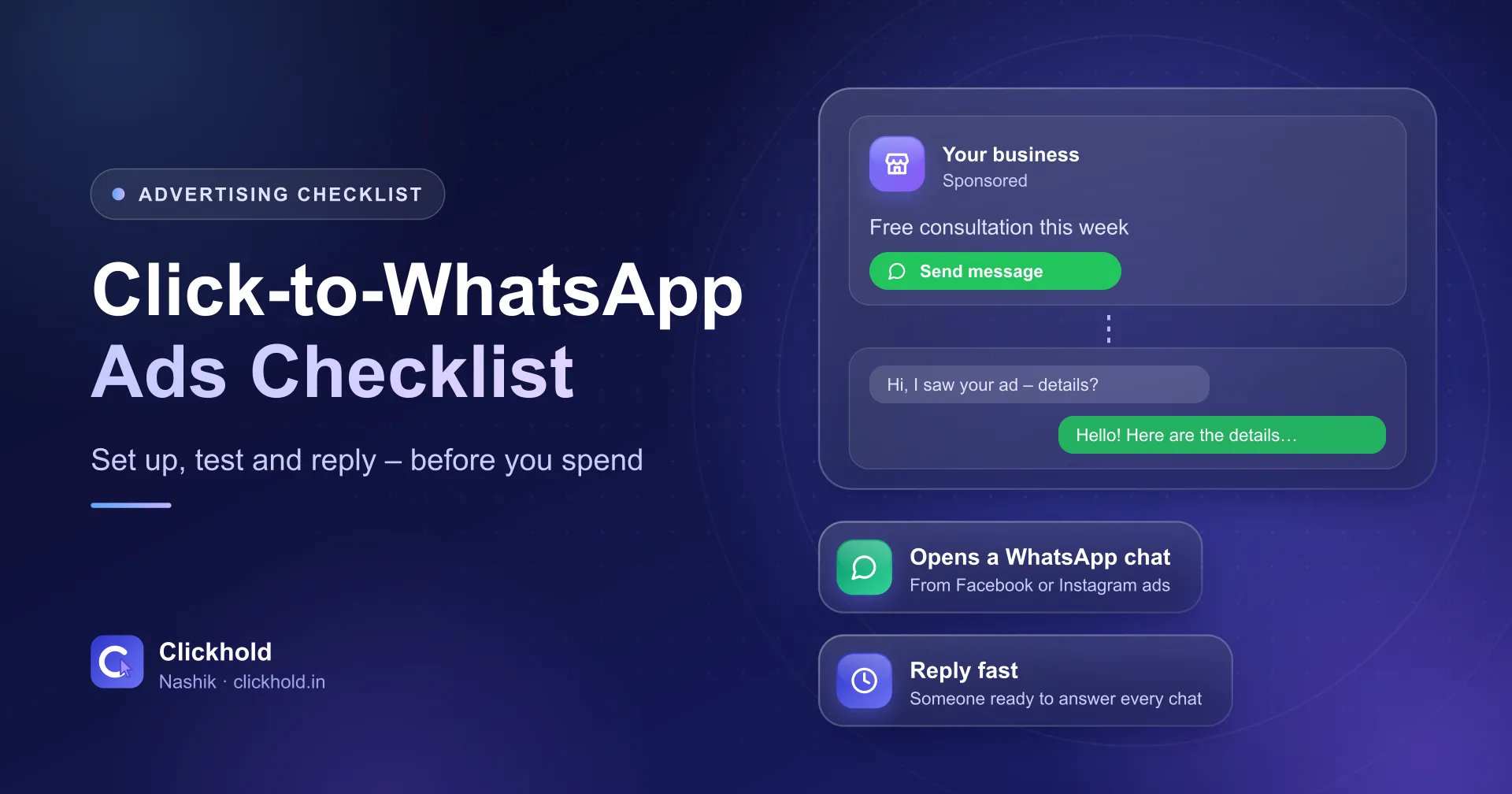
It is a normal Facebook or Instagram ad whose button opens a WhatsApp chat with you. WhatsApp’s own page describes it as an ad “that opens a WhatsApp chat with your business”, made in Ads Manager.
The person taps the ad, WhatsApp opens with a ready message such as “Hi, I saw your ad – can I get details?”, and they press send. You get a chat, with their number, from someone who just showed interest.
It works best when:
- the customer usually has a question before buying (price, size, availability, timing)
- you or a staff member can reply during business hours
- one chat can turn into a visit, a booking or an order
It works less well when people want to buy instantly online, or when nobody can answer chats until evening.
What do you need before you start?
Three things: a WhatsApp Business number, a Facebook Page and an ad account with a payment method. Meta’s developer guide for click-to-WhatsApp ads lists “a Facebook page with WhatsApp number linked” and a Meta ad account as the basics.
- A WhatsApp Business number – use the business number, not your personal one. Customers will save it.
- A complete WhatsApp Business profile – business name, address, hours, catalogue if you sell products. People check it before they trust you.
- A Facebook Page – connected to the same WhatsApp number. Link your Instagram account to the Page if you want ads on Instagram too.
- An ad account – in your own name, with your payment method. Never let an agency run ads from its own account; you lose the history if you part ways.
New to Ads Manager itself? Read my Meta Ads Manager guide for beginners first.
How do you set up the ad, step by step?
Six steps, and the last one matters most.
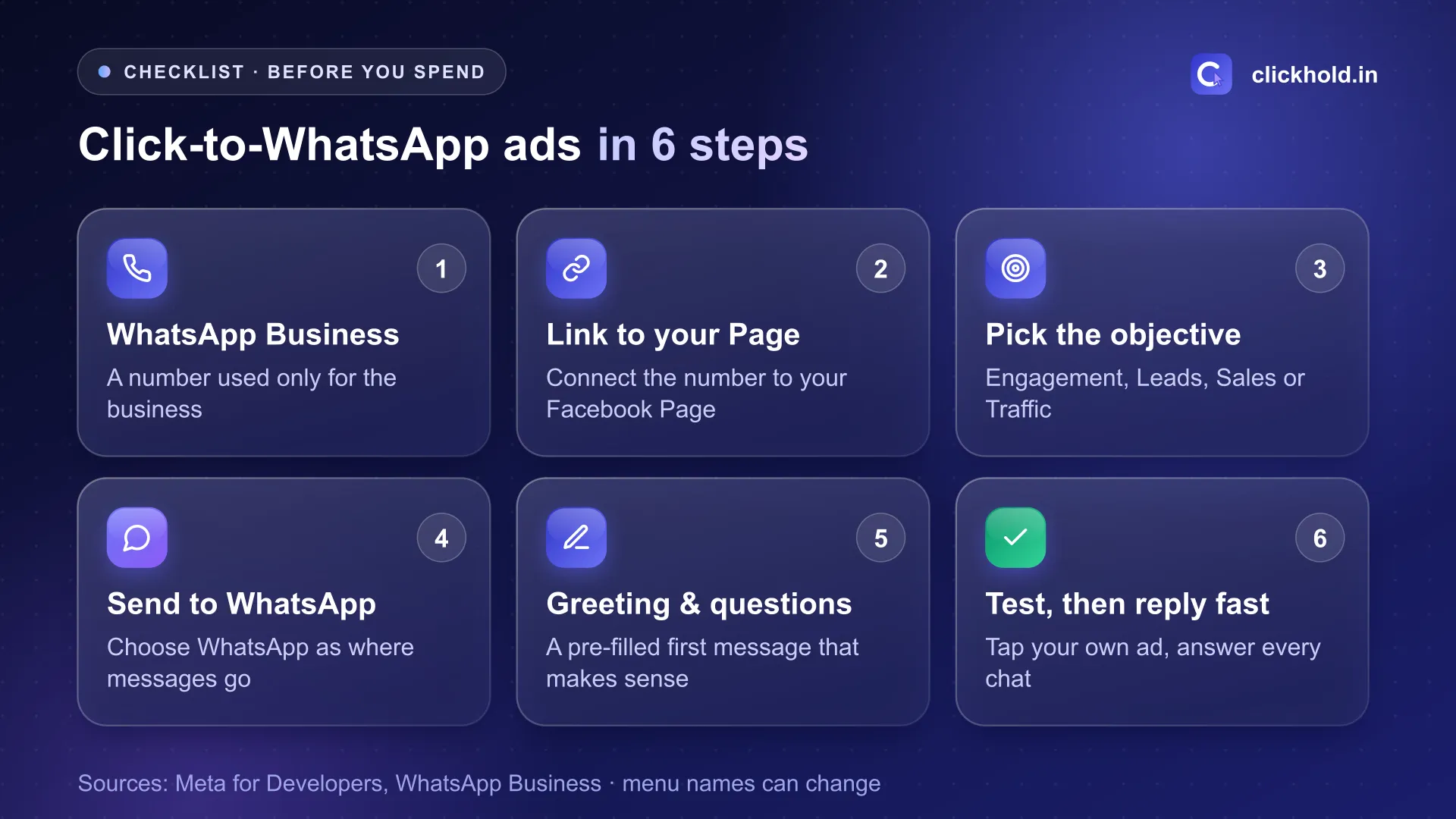
Menu names in Ads Manager change often – the order of steps stays the same.
- Use a WhatsApp Business number that only the business uses.
- Link it to your Facebook Page. Meta's guide needs the Page to have the WhatsApp number linked before the ad can open a chat.
- Pick the campaign objective. Meta's guide lists Engagement, Leads, Sales and Traffic as supported. I usually start with Engagement or Leads for local businesses.
- Choose WhatsApp as where messages go. In the ad set, select messaging apps and then WhatsApp.
- Write the greeting and questions. The pre-filled message and a few quick-question buttons decide how the chat starts.
- Test it, then reply fast. Open your own ad on a phone, tap it and check that WhatsApp opens on the right number.
New ads go into Meta’s review before they show. Plan for that – don’t launch a weekend offer on Saturday morning.
What should the ad itself say?
One offer, one place, one reason to message now. Some examples I would test in Nashik (examples, not client results):
| Business | Ad message | Pre-filled chat |
|---|---|---|
| Boutique | New Diwali collection – ask for prices on WhatsApp | “Hi, please share the new collection with prices” |
| Coaching class | 11th Science batch – admissions open | “Hi, I want batch timings and fees” |
| Dental clinic | Check-up appointments this week | “Hi, I want to book a check-up” |
| Builder | 2 BHK site visits on Sunday | “Hi, I want to book a site visit” |
For builders, my real estate lead generation guide covers the MahaRERA details every project ad needs. Use a short reel or a real photo, not a stock image. Show the area you serve. For clinics, keep claims factual – Meta has extra rules for health ads.
Who should see the ads?
People who can actually reach you. A shop on Gangapur Road doesn’t need ads in Pune. Start with a few kilometres around your business or the parts of Nashik you deliver to, and widen only if there are too few chats.
I explain how I set areas and audiences in my pages on Meta Ads for Gangapur Road businesses and Meta Ads on College Road.
What happens after someone messages you?
This is where most of the money is won or lost. An ad can bring chats, but only a quick, helpful reply turns them into customers.
- Set a greeting and away message in WhatsApp Business, so nobody gets silence.
- Save quick replies for the questions you get every day – price list, location, timings.
- Label every chat from the ad (“Ad – Oct offer”), so you can count them later.
- Answer within business hours. If chats come at night, say when you will reply.
- Ask one question back – “Which size?”, “Which date?” – to keep the conversation going.
If many chats arrive and you can’t keep up, an AI chatbot can answer the common questions first. For most small businesses, a person with quick replies is enough to start.
How do you know if the ads are working?
Count real enquiries, not clicks. Meta shows “messaging conversations started”. That number is a start, but some chats will only say “hi”.
Every week, write down:
- Money spent
- Chats started
- Chats that were real enquiries (asked about price, booking or a visit)
- Customers who came or ordered
Spend ÷ real enquiries = your cost per enquiry. Compare that with what a customer is worth to you. My guide on Facebook and Instagram ads cost explains how to set a sensible starting budget.
Give a campaign about a week before judging it, and don’t change everything daily.
What changed on WhatsApp’s side in 2026?
Mostly pricing on the WhatsApp Business Platform – the API that chatbots and CRM tools use. Meta’s pricing pages describe the Platform, not the free WhatsApp Business app on your phone.
- Meta charges per message on the Platform since 1 July 2025, by message type and the customer’s country code.
- When someone messages you from a click-to-WhatsApp ad on the Android or iOS app and you reply within 24 hours, a 72-hour free entry point window opens, and messages in it are free.
- Meta’s pricing update page says it charges for service messages on the Platform from 1 October 2026, and that messages in the free entry point window from click-to-WhatsApp ads stay free.
If you reply from the WhatsApp Business app, you pay Meta only for the ad. If you use an API tool, ask your provider what the October 2026 change means for your bill.
My advice before you spend
Do the checklist once, properly. Test the ad on your own phone. Make sure someone answers every chat. Then start with a small budget for a week and count real enquiries.
If you want me to set it up, my Facebook & Instagram ads service starts from ₹4,499 per month plus your ad budget, and click-to-WhatsApp ads are part of it. If you’re not sure Meta is the right channel, my performance marketing page explains how I choose between Google and Meta. Or just WhatsApp me what you sell – I’ll tell you honestly whether these ads suit your business.
Want us to look at your business?
Send a WhatsApp message – you'll get honest advice and a clear, written price.
Frequently asked questions
What is a click-to-WhatsApp ad?
It is a Facebook or Instagram ad with a button that opens a WhatsApp chat with your business. The person can message you straight away, without filling a form or visiting a website.
Do I need the WhatsApp Business API to run click-to-WhatsApp ads?
No. Meta's own guide only asks for a Facebook Page with a WhatsApp number linked. Many small businesses reply from the free WhatsApp Business app. The API helps when many people answer chats or you use a chatbot.
Which campaign objective should I choose?
Meta's developer guide lists Engagement, Leads, Sales and Traffic as supported objectives. For most local businesses I start with Engagement or Leads and WhatsApp as the message destination, then judge by cost per real enquiry.
Are WhatsApp messages from these ads free?
On the WhatsApp Business Platform (API), Meta says messages in the 72-hour free entry point window after a click-to-WhatsApp ad are free. You still pay Meta for the ad itself.
How much do click-to-WhatsApp ads cost in Nashik?
You set the ad budget and pay Meta directly. Clickhold's Facebook & Instagram ads management starts from ₹4,499 per month, and click-to-WhatsApp ads are part of it.