Meta Ads Manager Guide for Beginners (2026)
Meta Ads Manager explained simply: campaigns, ad sets and ads, the 6 objectives, a first campaign step by step and the numbers to watch – for Nashik shops.
 Uday SatputeFounder & CEO, Clickhold7 min read
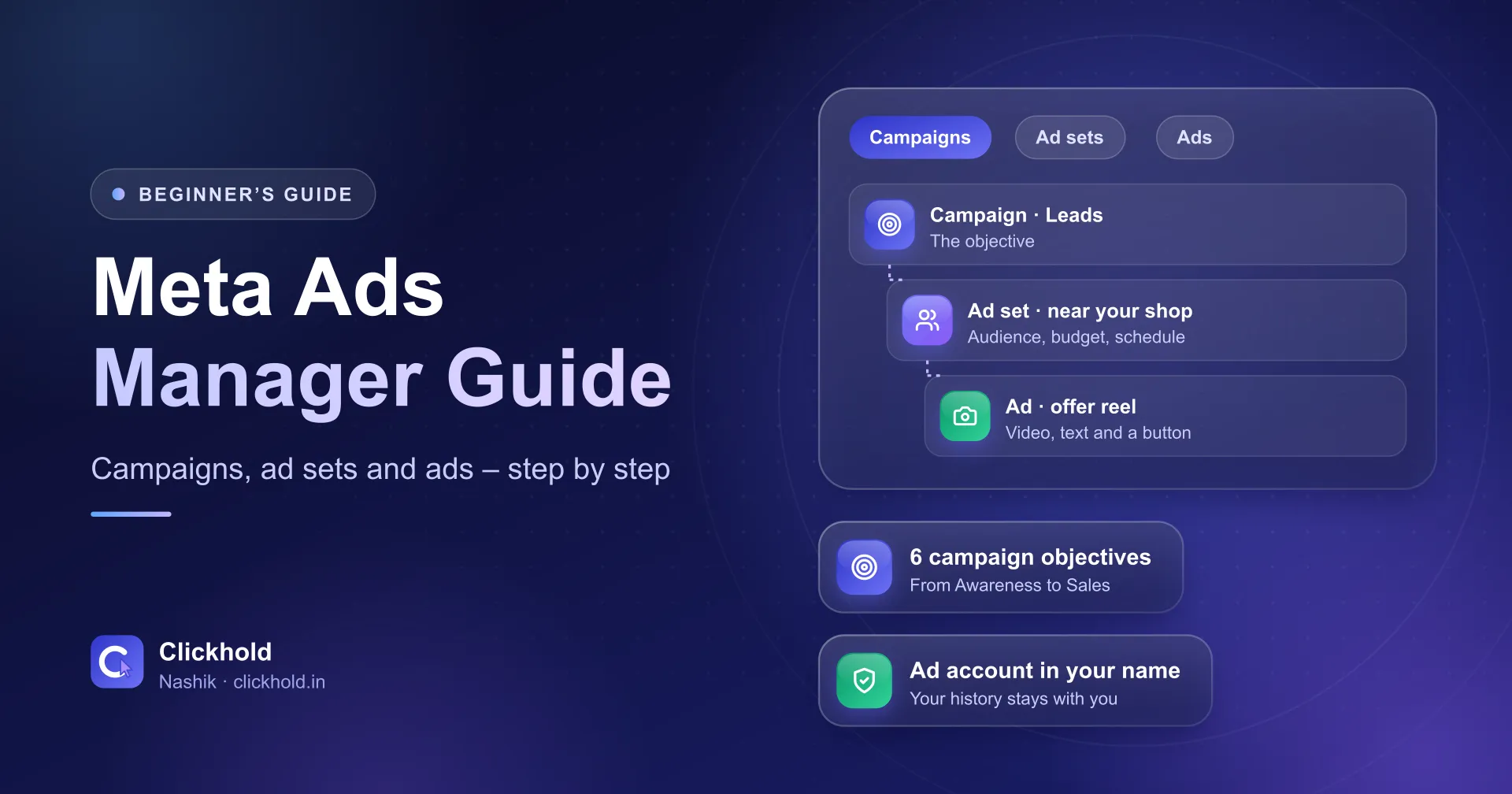
- 3 levelscampaign, ad set and ad
- 6 objectivesfrom Awareness to Sales
- Your accountad history stays with you
On this page
- 01What is Meta Ads Manager, and how is it different from boosting?
- 02What do you need before you open Ads Manager?
- 03How is a Meta campaign organised?
- 04Which objective should you choose?
- 05How do you set up your first campaign, step by step?
- 06What are special ad categories?
- 07Which numbers should you watch in the reports?
- 08What mistakes do beginners make most often?
- 09Should you run Meta ads yourself or get help?
Quick answer
Meta Ads Manager is Meta's free tool for creating, running and measuring Facebook and Instagram ads. Every campaign has three levels: the campaign sets the objective, the ad set sets the audience, budget and schedule, and the ad holds the image or video, text and button. You pay Meta only for the ads.
Key takeaways
- Meta Ads Manager is free – you pay Meta only for the ads that run.
- Pick the objective at the campaign level, the audience and budget at the ad set level, and the creative at the ad level.
- For most Nashik shops, clinics and classes, Leads or Engagement with WhatsApp or calls is a sensible first objective.
- Property, job and loan ads must be declared as a special ad category before they run.
- Judge a campaign by cost per real enquiry, not by likes or reach.
Meta Ads Manager is Meta’s free tool for creating, running and measuring Facebook and Instagram ads. Every campaign has three levels: the campaign sets the objective, the ad set sets the audience, budget and schedule, and the ad holds the image or video, text and button. You pay Meta only for the ads.
I’m Uday from Clickhold. Many Nashik business owners tell me they opened Ads Manager once, saw dozens of menus and went back to the “Boost” button. This guide is the short version I give them – what each part does, which settings matter and which numbers to watch.
What is Meta Ads Manager, and how is it different from boosting?
Ads Manager is the full control panel; Boost is the shortcut. Both spend money with Meta, but they give you very different control.
| Boost a post | Meta Ads Manager | |
|---|---|---|
| Where | From your Page or Instagram post | adsmanager.facebook.com |
| Settings | A few: audience, budget, days | All: objective, audience, placements, schedule, several ads |
| Good for | Showing one post to more people | Getting enquiries, testing ads, tracking cost per result |
| Reports | Basic | Detailed, by campaign, ad set and ad |
Boosting is fine for a quick festival post. For anything you want to measure – calls, WhatsApp chats, form leads – use Ads Manager.
What do you need before you open Ads Manager?
A Facebook Page, an ad account in your own name and a payment method. Then a few extras that save trouble later:
- Facebook Page – your business page, with the correct name, phone and address.
- Instagram account – linked to the Page if you want ads on Instagram.
- Ad account in your name – never run ads from an agency’s account. If you part ways, the history and data stay with them.
- Payment method – your card or another method Meta accepts in India.
- WhatsApp Business number – if you want ads that open a chat. My click-to-WhatsApp ads checklist covers that setup.
How is a Meta campaign organised?
Three levels, each with its own job. Meta’s developer documentation on campaign structure says a campaign should represent a single objective, the ad set holds the budget, schedule and audience, and the ad holds the creative.
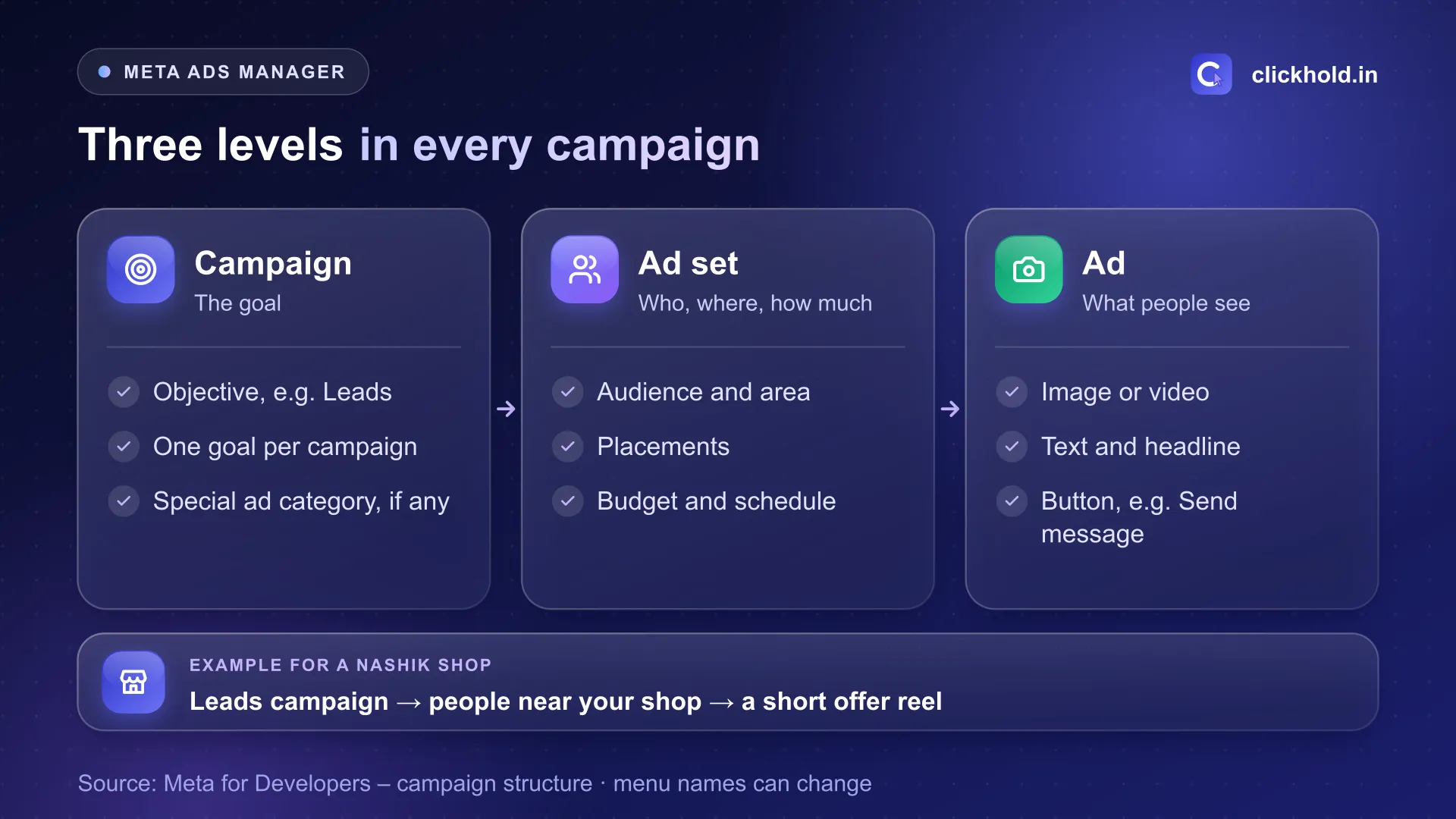
One campaign can hold several ad sets, and each ad set can hold several ads.
- Campaign – what you want: enquiries, sales, visits or views. One goal per campaign.
- Ad set – who sees it (area, age, interests), where (Facebook, Instagram, Reels and more), how much you spend and when. Budget usually sits here, unless you choose a campaign budget.
- Ad – what people see: the photo or video, the text, the headline and the button, such as “Send message” or “Call now”.
Keep it simple at the start: one campaign, one or two ad sets, two or three ads.
Which objective should you choose?
The one that matches the action you want – not the one with the cheapest clicks. Meta’s Marketing API reference lists six outcome-based objectives:
| Objective | What Meta looks for | Nashik example |
|---|---|---|
| Awareness | People likely to remember the ad | A new café near College Road announcing its opening |
| Traffic | People likely to visit a link | A blog or offer page on your website |
| Engagement | Messages, video views, interactions | Click-to-WhatsApp ads for a boutique |
| Leads | People likely to share contact details | Instant forms or calls for a coaching class |
| App promotion | App installs | Only if you have your own app |
| Sales | Purchases or other conversions | An online store with tracking set up |
For most local businesses I work with, Leads or Engagement (WhatsApp or calls) is the right first choice. Sales needs proper conversion tracking on a website; without it, Meta has nothing to learn from.
How do you set up your first campaign, step by step?
Seven steps. Menu names in Ads Manager change from time to time, but the order stays the same.
- Click Create and choose the objective, for example Leads.
- Answer the special ad category question. Choose one only if your ads are about housing, jobs, financial products or politics (more below).
- Name the campaign clearly – "Leads – Diwali offer – Oct 2026" is easier to read later than "New campaign".
- Set the ad set: where people go (WhatsApp, calls, a form or your website), the area around your business, the budget and the schedule.
- Choose placements. Meta's automatic placements are a fair start; remove a placement later if it brings poor enquiries.
- Create two or three ads with a real photo or short reel, one clear offer and one button.
- Publish and wait for review. Ads are checked against Meta's ad standards before they run, so don't launch a weekend offer on Saturday morning.
For the area, think about who can actually come to you. A tailor in CIDCO needs people nearby, not all of Maharashtra – see how I plan Meta Ads for CIDCO businesses.
What are special ad categories?
A label you must set for housing, employment, financial and political ads. Meta’s special ad category documentation says every advertiser has to declare a category when creating a campaign – or choose “None”. The categories are:
- Housing – flats, plots and rentals
- Employment – job openings
- Financial products and services – loans, credit cards, insurance and similar
- Social issues, elections or politics
These categories limit some targeting options, so set the right one from the start. For builders in Nashik, my real estate lead generation guide also covers the MahaRERA details every project ad needs.
Which numbers should you watch in the reports?
Results and cost per result first; everything else explains them. Customise the columns to show:
- Results – the action you chose: leads, messaging conversations, calls
- Cost per result – amount spent ÷ results
- Amount spent – check it matches your plan
- Reach and frequency – how many people saw the ad, and how often each saw it on average
- CTR (link click-through rate) – a sign of whether the ad itself interests people
Then do one thing Meta can’t: count real enquiries in your own register or WhatsApp labels. A “messaging conversation” that only says “hi” is not a lead. Spend ÷ real enquiries is the number that matters. My guide on Facebook and Instagram ads cost in India shows how to set a sensible test budget.
What mistakes do beginners make most often?
The same five, again and again:
- Changing everything every day. Give an ad set about a week before judging it.
- Too many ad sets with tiny budgets. Two well-funded ad sets beat ten starving ones.
- Targeting the whole state. Local businesses need local people.
- Stock images. A real photo of your shop, product or team usually looks more trustworthy.
- Slow replies. Ads can bring chats and calls, but only a quick answer turns them into customers.
Should you run Meta ads yourself or get help?
If you have a small budget and time to learn, run one simple campaign yourself using this guide. You will learn a lot about your customers.
If you’d rather spend your time on the business, my Facebook & Instagram ads service starts from ₹4,499 per month plus your own ad budget, run from an ad account in your name. Not sure whether Meta or Google suits you better? My performance marketing page explains how I choose. Or WhatsApp me what you sell, and I’ll tell you honestly where I would start.
Want us to look at your business?
Send a WhatsApp message – you'll get honest advice and a clear, written price.
Frequently asked questions
What is Meta Ads Manager?
It is Meta's free tool for creating, running and measuring ads on Facebook, Instagram, Messenger and other Meta placements. You open it from your Facebook account, and you pay Meta only for the ads themselves.
Is Meta Ads Manager the same as boosting a post?
No. Boosting is a quick option from your Page or Instagram post with fewer settings. Ads Manager gives you every setting: objective, audience, placements, budget, schedule, several ads and detailed reports.
Which campaign objective should a local business choose?
Meta offers six: Awareness, Traffic, Engagement, Leads, App promotion and Sales. For a Nashik shop, clinic or class that wants enquiries, I usually start with Leads or Engagement sending people to WhatsApp or a call.
How much should I spend on my first Meta campaign?
Start with an amount you are happy to test for one to two weeks, then judge it by cost per real enquiry. My Facebook and Instagram ads cost guide explains how to set a starting budget.
Can Clickhold run Meta ads for me in Nashik?
Yes. Clickhold's Facebook & Instagram ads management starts from ₹4,499 per month, and the ad budget is paid by you directly to Meta from your own ad account.