AI Overviews Report in Search Console: What to Check
Google now shows every site its AI Overviews and AI Mode impressions in Search Console, plus image searches from Lens. What changed and what to check.
 Uday SatputeFounder & CEO, Clickhold7 min read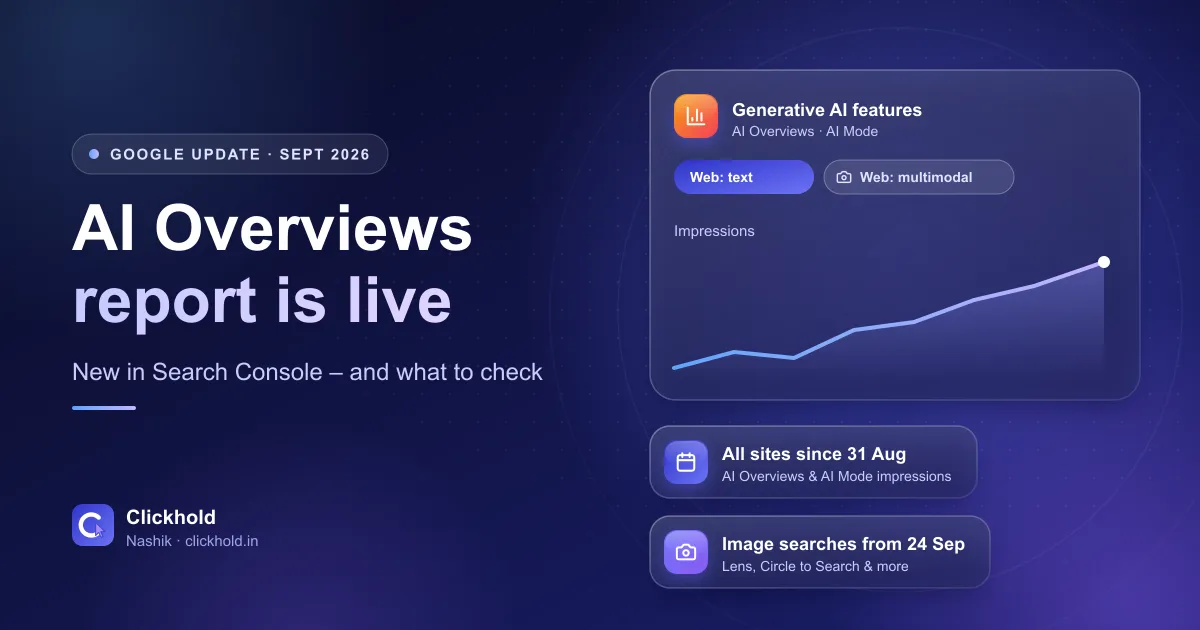
- 31 Aug 2026AI report live for all websites
- 24 Sep 2026image searches added (Lens & more)
- Impressionsin AI Overviews and AI Mode
- Freeinside Google Search Console
On this page
Quick answer
Since 31 August 2026, Google Search Console shows every website how often its pages appeared as links in AI Overviews and AI Mode. On 24 September 2026 Google added a filter for image searches – Google Lens, Circle to Search and uploaded images. Local businesses can now see which pages AI search uses and fix the rest. It is free.
Key takeaways
- Search Console now has a separate view for generative AI features – AI Overviews and AI Mode – rolled out to all websites worldwide as of 31 August 2026.
- It shows impressions: how often links to your pages were shown in those AI answers, by page, country, date and device.
- Since 24 September 2026 you can filter for image-based searches: Google Lens, Circle to Search, uploaded images and Chrome's image search.
- Small sites may not see the report yet – Google only shows it once there are enough AI impressions.
- Use it to find which pages AI search already trusts, then make your other service pages as clear as those.
Since 31 August 2026, Google Search Console shows every website how often its pages appeared as links in AI Overviews and AI Mode. On 24 September 2026, Google also started reporting image-based searches – Google Lens, Circle to Search and uploaded photos. For a local business, this is the first free, official way to see whether Google’s AI answers are using your website at all.
I’m Uday from Clickhold. Most Nashik business owners I talk to have Search Console set up (or I set it up with their website) but rarely open it. This update is a good reason to. Below is what changed, in plain words, with links to Google’s own announcements, and what I’d check this week.
What exactly did Google change?
Two things, a few weeks apart. First, the AI features report reached every website. Then Google added image searches to the data.
- The generative AI performance report. Google announced it on 3 June 2026 as a separate view in Search Console for visibility in generative AI features, first for a small group of sites. A note on that post says that as of 31 August 2026 it rolled out to all websites worldwide.
- Web multimodal reporting. On 24 September 2026, Google added a new search type filter for searches made with images. It covers Google Lens, Circle to Search on Android, images uploaded to Google Search and the Chrome right-click “Search this image” option. Google says it is rolling out globally.
Both were posted by Google on its Search Central blog, so this is not a rumour or a third-party tool.
What does the AI features report show?
It shows impressions – how many times links to your pages were shown in AI Overviews and AI Mode. According to Google’s help page for the report, you can look at it by:
- Pages – which of your URLs were shown
- Countries – where the searches happened
- Dates – trends over time
- Devices – mobile, desktop or tablet
A few limits are worth knowing before you read too much into the numbers:
- It doesn’t include Search Labs experiments.
- The newest data is preliminary and can change.
- The table shows up to 1,000 rows, like other Search Console reports.
- The report may not appear at all if your site has too few AI impressions.
That last point matters for small businesses. A clinic or shop with a five-page website may simply see nothing yet. That isn’t an error – it means Google’s AI answers haven’t shown your pages often enough to report.
What it doesn't show
The report doesn't tell you what the AI answer said about you, or which questions triggered it. It shows that a link to your page was shown. To see the wording, you still need to search the questions your customers ask, as I explain in my AI SEO guide.
Why should a Nashik business care?
Because it turns AI search from guesswork into something you can check. Until now, the only way to know if AI Overviews used your site was to search again and again and hope to spot your link.
Think of a physiotherapy clinic near College Road with separate pages for back pain, knee pain and sports injuries. If the report shows impressions only for the knee pain page, that is useful: that page is clear enough for AI search to use. The other two probably need the same treatment – a direct answer near the top, the area, the price range and real FAQs.
Or a furniture showroom whose customers photograph a sofa they saw somewhere and search with Google Lens. The new multimodal filter shows whether any of those image searches led to the showroom’s own pages. For businesses that sell things people can photograph – furniture, hardware, clothing, jewellery, tiles, spare parts – this is new information.
These are examples to explain the idea, not results from a client.
How do you find the report?
Open Google Search Console, go to the performance reports and choose the view for generative AI features. Then use the search type filter to compare text searches with image searches.
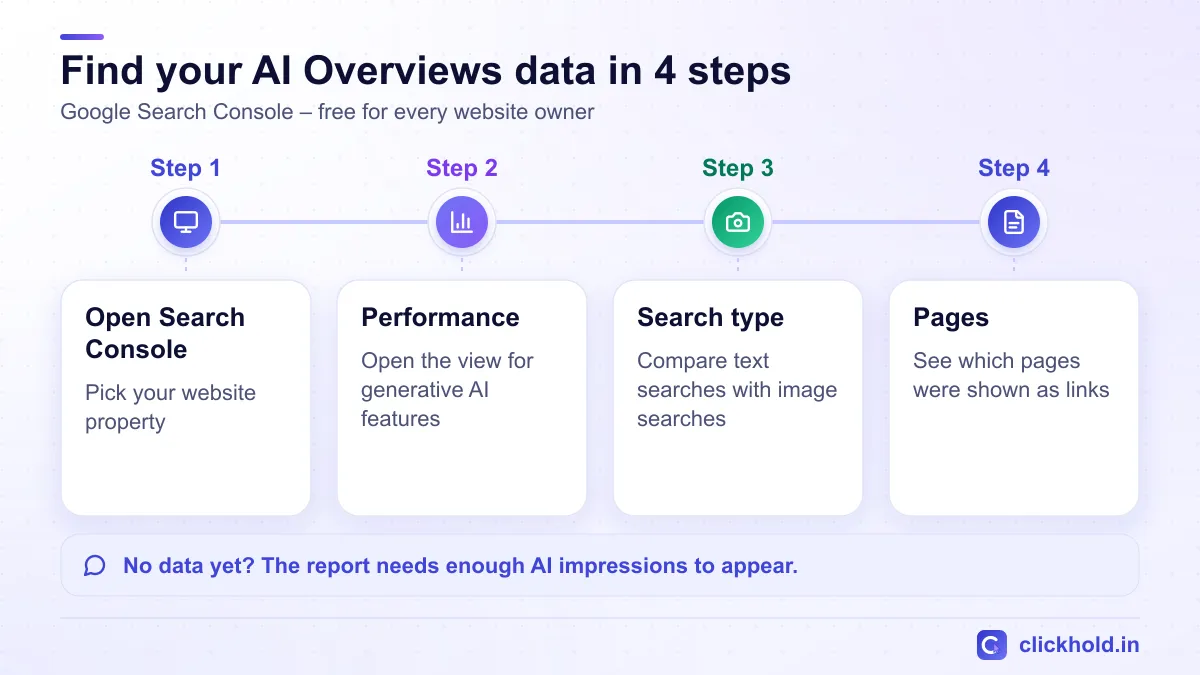
Menu names in Search Console can change – Google's help page has the current steps.
If a developer or agency set up Search Console for you, ask them to add your own Google account as a user, so you can open the reports yourself. It’s your website’s data, and you should be able to see it even if you change who manages the site later.
If you don’t have Search Console yet, set it up first. It is free, and you need to verify that you own the website. Every website I build includes Search Console and Analytics setup, and my free website & SEO audit checks whether your important pages are indexed.
What should you check this week?
Start with the pages that matter for enquiries, not the total number. Here is the order I follow for clients.
- Check that your service pages are indexed. A page that isn't in Google's index can't be a link in AI Overviews. Google's AI features page says pages need to be indexed and eligible to show with a snippet – there are no extra technical requirements.
- Look at which pages get AI impressions. Note the pages that appear and the ones that never do.
- Compare a strong page with a weak one. Usually the strong page answers one question clearly near the top. The weak one says "we provide all types of services".
- Fix the weak pages first. Add a direct answer, your area of Nashik, a price or price range, the steps, and the questions customers really ask.
- Check the image search filter if you sell products. Make sure product and shop photos on your site are your own, sharp and described with clear alt text.
- Note the numbers once a month. One month means little. A trend over three or four months tells you whether your changes are working.
Don't chase the number
Impressions in AI answers are not enquiries. A page with fewer impressions that brings calls is worth more than a blog post shown a thousand times to people outside Nashik. Always read this report next to your calls, WhatsApp chats and form leads.
What this report can’t do
It can’t tell you how to rank in AI answers, and it doesn’t guarantee anything. Google decides what its AI features show. The report only measures what already happened.
It also doesn’t cover your Google Business Profile. When someone asks for “a good dentist near Gangapur Road”, Google often uses business profile details – timings, reviews, category – and those don’t appear in Search Console. Profile views, calls and direction requests are in the profile’s own performance section. If your profile is incomplete, that is usually the bigger fix; my guide on how to rank on Google Maps in Nashik covers it, and my Google Business Profile optimisation is ₹2,799 one-time.
Other Google Search changes in the same period
Google also ran two spam updates. The Google Search Status Dashboard lists an August 2026 spam update (from 18 August) and a September 2026 spam update (from 24 September). Spam updates target sites that break Google’s spam policies. If your site follows the rules – your own content, no bought links, no copied pages – there is nothing special to do.
Google also posted an update to its site reputation abuse policy on 28 August 2026. It mainly changes how that policy is enforced in the European Economic Area, so it is very unlikely to affect a small business website in Nashik.
My advice for local businesses
Open Search Console once this week. If the AI features view is there, write down which pages appear. If it isn’t, check that your main service pages are indexed – that is the first step either way.
Then spend your effort where it counts: clear service pages, an accurate Google Business Profile and real reviews. That is what both normal search and AI search reward. My AI SEO service does this work with a custom quote after a free check, and my regular SEO services are ₹5,599 per month.
If you open the report and aren’t sure what you are looking at, send me a screenshot on WhatsApp and I’ll tell you what it means for your business.
Want us to look at your business?
Send a WhatsApp message – you'll get honest advice and a clear, written price.
Frequently asked questions
What is the generative AI features report in Search Console?
It is a view in Search Console's performance reports that shows how often links to your website were shown in Google's AI Overviews and AI Mode. Google says it reached all websites worldwide as of 31 August 2026. Search Labs experiments are not included.
Why can't I see the AI features report for my website?
Google's help page says the report may not appear if your site doesn't have enough generative AI impressions, or if it has been excluded from those features. Check that Search Console is verified for your site and that your important pages are indexed.
What is 'Web: multimodal' in Search Console?
It is a search type filter added on 24 September 2026. It separates searches made with images – Google Lens, Circle to Search on Android, images uploaded to Google Search and Chrome's 'Search this image' – from normal text searches.
Does the report show clicks from AI Overviews?
Google's help page describes the report's metric as impressions – how many times links to your site were shown in these AI features. Your overall Search performance report still shows clicks and impressions for all Search traffic.
Does Search Console show my Google Business Profile in AI answers?
No. Search Console reports on your website's pages. Calls, direction requests and views of your Google Business Profile are shown in the profile's own performance section.