AI SEO in 2026: How to Show Up in AI Answers
What AI SEO (GEO) really means, what Google and OpenAI say about AI answers, and 8 practical steps for Nashik businesses – no tricks, no myths.
 Uday SatputeFounder & CEO, Clickhold9 min read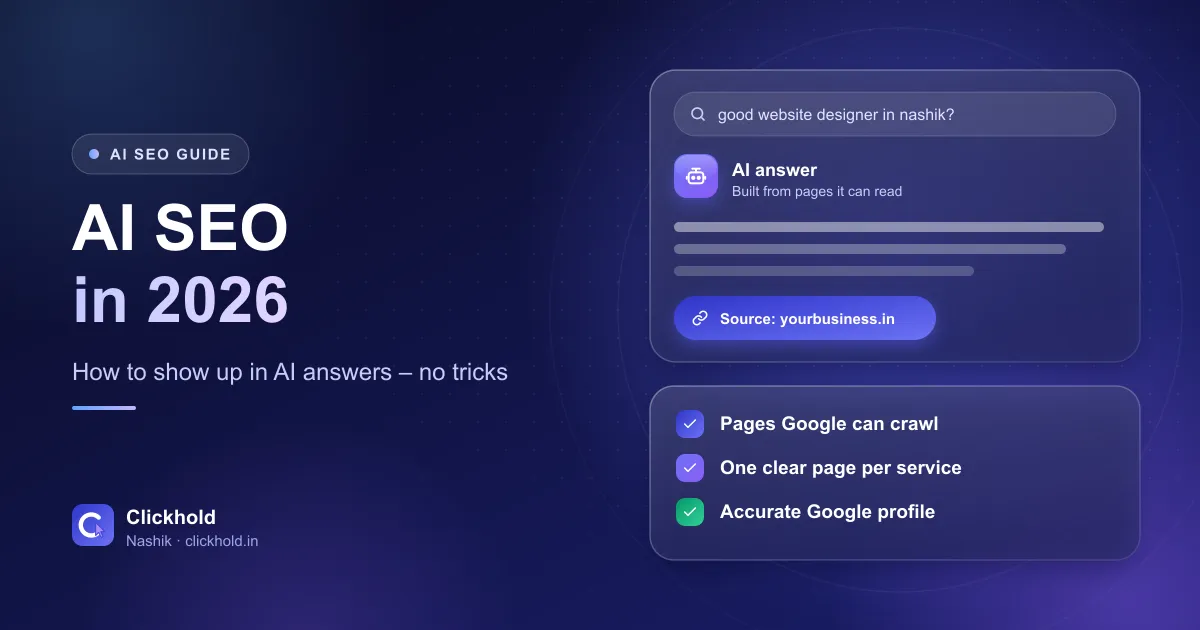
- Still SEOGoogle's own words on AI search
- No llms.txt neededfor Google AI Overviews and AI Mode
- OAI-SearchBotmust be allowed for ChatGPT search
- Business Profilekeep it complete and current
On this page
Quick answer
AI SEO – also called generative engine optimization (GEO) – means making your business easy for AI search features like Google AI Overviews, AI Mode and ChatGPT search to find, understand and describe correctly. Google says this is still SEO: crawlable pages, genuinely helpful content and accurate business details. You don't need llms.txt files or special AI markup for Google.
Key takeaways
- AI SEO is not a separate trick. Google says optimizing for generative AI search is still SEO.
- Your pages must be crawlable, indexed and eligible for a snippet to be used as a link in Google's AI features.
- For ChatGPT search, OpenAI says your robots.txt should allow its OAI-SearchBot crawler.
- Write one clear page per service with prices, areas and real answers – AI tools repeat what you make easy to find.
- Ask AI tools about your business every month and fix wrong information at its source.
AI SEO means making your business easy for AI search – Google AI Overviews, AI Mode and ChatGPT search – to find, understand and describe correctly. The surprise for most people: Google itself says this is still SEO. There is no secret file, no special code and no shortcut. The businesses that show up are the ones whose information is clear, true and easy to reach.
I’m Uday, founder of Clickhold. Over the last few months, more Nashik business owners have asked me some version of the same question: “When someone asks ChatGPT for a good clinic or shop in Nashik, why doesn’t it mention me?” This guide is my honest answer – what the platforms officially say, which popular tips are myths, and what you can actually do this month.
What is AI SEO (or GEO)?
People use several names for the same idea:
- AI SEO – SEO for AI-powered search features.
- GEO (generative engine optimization) – getting your content used by tools that write answers instead of only listing links.
- AEO (answer engine optimization) – the older name for appearing in direct answers.
In plain words: when someone asks a question, an AI tool reads pages it can access, picks what it trusts, and writes a short answer – sometimes with links to its sources. AI SEO is the work of being one of those sources, and making sure what it says about you is correct.
Google’s guide to optimizing for generative AI features is direct about this. It says its AI features rely on its core Search ranking and quality systems, and that “optimizing for generative AI search is optimizing for the search experience, and thus still SEO.”
That one line saves a lot of money. If someone sells you “GEO” as something completely separate from SEO, ask them what exactly they will do differently.
How AI answers choose which businesses to mention
Every AI tool works a little differently, but the official documents point to the same three needs:
- Access. The tool’s crawler must be allowed to read your pages.
- Understanding. The page must say clearly what you do, where, for whom and at what price.
- Trust. The information must look reliable – consistent across your website, Google Business Profile and listings, and backed by real reviews.
For Google, the rule for being a link inside AI Overviews or AI Mode is simple. Google’s AI features page says a page must be indexed and eligible to be shown in Google Search with a snippet. There are no extra technical requirements. If your page isn’t on Google at all, it can’t be a source.
For ChatGPT, OpenAI’s crawler documentation says sites that want to appear in ChatGPT search results should allow its OAI-SearchBot crawler in robots.txt. That is separate from GPTBot, which is about training AI models. You can block training and still allow search – they are different settings.
AI SEO myths you can ignore
A lot of advice online is selling something. Here’s what Google’s own guide says about the most common tips.
Myth: you need an llms.txt file
Google says it doesn't use llms.txt or other special AI files for Search. Making one won't help or hurt you in Google. It's not wrong to have one, but it's not where your effort should go.
- “Break every page into small chunks for AI.” Google says there’s no requirement to break content into tiny pieces. Write for people.
- “AI prefers long pages” (or short ones). Google says there’s no ideal page length.
- “Add special AI schema.” You don’t need special structured data for AI features. Normal structured data still helps for rich results – it just must match what’s visible on the page.
- “Get mentioned everywhere.” Google warns that chasing inauthentic mentions isn’t as useful as it seems, because its systems are built around quality and authenticity.
- “Rewrite everything for AI.” Not needed. If a page is genuinely useful to a customer, it’s already in the right shape.
8 practical steps for a Nashik business
These are the steps I follow for clients. Most of them you can do yourself.
- Ask the AI tools about yourself. Open Google, ChatGPT and any other assistant your customers use. Ask the questions a real customer would ask and write down the answers.
- Check that crawlers can reach you. Look at your robots.txt, your hosting firewall and any security plugin.
- Make sure Google has indexed your important pages. Use Google Search Console.
- Write one clear page per service. Service, area, price range, process and real FAQs.
- Keep your Google Business Profile complete and current.
- Make your name, address and phone match everywhere.
- Add what only you know. Your experience, your prices, your local details.
- Re-check every month and fix wrong information at its source.
Let’s go through the ones that need more explanation.
Step 1: Ask the questions your customers ask
Don’t search your business name – search the way a stranger would. Examples (only examples – use your own):
- “Good physiotherapy clinic near Nashik Road”
- “Who makes websites for small businesses in Nashik?”
- “Steel fabrication supplier in Satpur MIDC”
Note three things for each: are you mentioned, is the information correct (timings, address, services, prices), and which websites are cited as sources. The cited sources show you what the AI tool trusts for your type of business.
Step 2: Check crawl access
This is the most common technical problem I find, and the easiest to fix. Some hosting companies and security plugins block unknown bots by default. If OAI-SearchBot is blocked, OpenAI says your site won’t appear in ChatGPT search answers. If Googlebot is blocked, you’re not on Google at all.
Open yourwebsite.com/robots.txt in a browser. If you see Disallow: / under User-agent: * or under the name of a search crawler, ask your developer why. Google’s guide also reminds site owners to check CDN and hosting settings, not only robots.txt.
Step 4: One clear page per service
AI answers are built from pages that answer a question directly. A home page that says “We provide all types of services” gives an AI tool nothing to repeat.
A good service page says, in plain words: what you do, where, for whom, roughly what it costs, how the process works and what customers usually ask. Put the direct answer near the top. I explained the local side of this in how to rank on Google Maps in Nashik – the same clarity helps AI answers.
Step 5: Your Google Business Profile matters more now
Google’s AI guide specifically mentions keeping Google Business Profile and Merchant Center information up to date. For a local business, your profile is often where AI features get your timings, phone number, category and reviews from.
If your profile is suspended, unverified or full of old details, fix that first. My guide on why a business doesn’t show on Google Maps covers the usual problems. My Google Business Profile optimisation costs ₹2,799 one-time if you’d rather I do it.
Step 6: Same details everywhere
If your website says one phone number, Justdial shows another and Facebook has your old address, an AI tool has to guess – and it may repeat the wrong one. Pick one version of your name, address and phone number and make every listing match.
Step 7: Add what only you know
Google’s guide puts the most weight on content that is unique and useful – first-hand experience rather than summaries of what’s already online. A dentist explaining what a root canal costs at their clinic and how many visits it takes is more useful than a copied “10 benefits of dental care” article.
Using AI to help write is fine. Google’s guidance on AI-generated content allows it, but says to fact-check and review everything, and warns that mass-producing pages without adding value can break its spam policy on scaled content abuse.
A quick test for any page
Read your page and ask: if a customer read only this, could they decide whether to call me? If not, an AI tool can't recommend you from it either.
Step 8: Re-check every month
AI answers change. Once a month, ask the same questions from step 1 and compare. If an AI tool keeps repeating something wrong – an old address, a service you stopped – find where that information lives online and correct it there. Arguing with the chatbot doesn’t change its sources.
Google’s guide also mentions a generative AI performance report in Search Console. If you have Search Console set up, check what it shows for your site – I explain the report in the AI Overviews report in Search Console.
What AI SEO can’t do
I’d rather be clear about this than oversell it.
- No one can guarantee a mention. Google, OpenAI and others decide what their answers show. Anyone promising “guaranteed ChatGPT ranking” is guessing.
- It doesn’t replace ads. If you need enquiries this month, Google Ads reach people already searching. AI SEO builds over time.
- It won’t fix a weak offer. If reviews are poor or prices unclear, AI tools will reflect that.
How AI SEO fits with your normal SEO
Think of it as one house. Normal SEO is the foundation: a fast, crawlable website, clear pages, a strong Google Business Profile and real reviews. AI SEO is checking that AI tools read that foundation correctly – and fixing the gaps when they don’t.
That’s why I don’t sell AI SEO as a magic add-on. If your basics are missing, we start there. If they’re in place, the work is mostly checking, correcting and improving pages so they answer real questions. My regular SEO services cost ₹5,599 per month. For AI SEO there’s no fixed price – I check how AI tools describe your business today and then send a written quote.
Where to start today
Do steps 1 and 2 today – they take 15 minutes and cost nothing. If an AI tool says something wrong about your business, or you find a blocked crawler and aren’t sure how to fix it, WhatsApp me a screenshot. You can also ask for a free website & SEO audit, which covers indexing and your Google profile.
If you run a business where customers ask questions at all hours, an AI chatbot on your own website is a different but related idea – it answers visitors who already found you.
Want us to look at your business?
Send a WhatsApp message – you'll get honest advice and a clear, written price.
Frequently asked questions
What is the difference between SEO, AEO and GEO?
They are names for overlapping work. SEO is getting found in search. AEO (answer engine optimization) and GEO (generative engine optimization) focus on being used in AI answers. Google's own guide says optimizing for generative AI search is still SEO, so the foundations are the same.
Do I need an llms.txt file for AI SEO?
Not for Google. Google says it doesn't use llms.txt or other special AI files for Search, and creating them won't help or harm your visibility there. Spend the time on clear, useful pages instead.
How do I get my business mentioned in ChatGPT answers?
Nobody can guarantee it. What you can do: allow OpenAI's OAI-SearchBot in robots.txt (OpenAI says this is needed for ChatGPT search), keep clear service pages with your area and contact details, and keep your Google Business Profile and directory listings accurate and consistent.
Can I use AI to write my website content?
Yes, Google allows it, but it says all AI-generated content must be fact-checked and reviewed, and mass-producing pages without adding value can break its scaled content abuse policy. Use AI to help, then add your own experience, prices and local details.
How long does AI SEO take?
Fixing crawl access and wrong information can be quick. Being picked for more AI answers depends on the same things as ranking – useful content and trust – and that builds over months. Anyone promising a fixed date is guessing.